This section describes the various toolbars available in the Composites workbench.
The toolbars
- Parameters
- Contour
- Preliminary Design
- Plies
- Top Surface & Solid
- Data Export
- Analysis
- Splicing
- Manufacturing
- Flattening
- Mirror
- Wireframe
- Unfold Surface
- Surface Tools
are located on the right in the default set-up
Parameters Toolbar

Available in the Composites Design Workbench and the Composites Grid Design Workbench
 |
Composites Parameters See Defining the Composites Parameters |

Contour Toolbar

 |
Create Standard Contour See Defining a Contour |
Preliminary Design Toolbar

 |
Zones Group See Defining a Zone Group |
 |
Zone See Defining a Zone |
 |
Transition Zone See Defining a Transition Zone |
 |
Import Laminate See Importing a Laminate |
 |
ITP See Creating an ITP |
 |
ITP Height See Creating an ITP Height |
 |
Connection Generator See Running the Connection Generator |
 |
Zones Bridge
Analyzer See Analyzing Zones Bridges |
 |
Stack Up File From Zones See Creating a Stack-up File |
 |
Stack Up File From Core Samples See Creating a Stack Up File From Core Samples |
 |
Solid From Zones See Creating a Solid From Zones |
 |
Associative Solid From Zones See Creating an Associative Solid From Zones |
 |
Drop Off See Creating a Drop-off |
 |
Slicing Group See Slicing a Solid |
Plies Toolbar

 |
Plies Group See Defining a Plies Group |
 |
Plies From Zones See Creating Plies From Zones |
 |
Plies From Slicing See Creating Plies From Slicing |
 |
Ply See Creating Plies Manually |
 |
Core See Creating a Core |
 |
Ply Table See Creating a Stack-Up File From Plies |
 |
Ply Table Import See Reading a Stack-Up File From Plies |
 |
Limit Contour See Creating a Limit Contour |
 |
Limit Contours From Input File See Reading a Staggering File |
 |
Symmetric Plies Stacking See Applying a Symmetry to Plies |
 |
Symmetric Plies See Creating/Deleting Symmetric Plies |
 |
Merge Plies See Merging Plies |
 |
No Drop Off Area See Creating a No Drop-Off Area |
 |
Dart See Creating Darts |
 |
Material Addition See Adding Material |
 |
Material Addition Wizard See Using the Material Addition Wizard |
 |
Merge Stacking See Merging Stackings |
 |
Rounded Corner See Creating Rounded Corners on Contours |
Top Surface & Solid Toolbar

 |
Iso-Thickness
Areas See Creating Iso-Thickness Areas |
 |
Iso-Thickness
Junction Wizard See Using the Junction Lines Wizard |
 |
Iso-Thickness
Junction Lines See Creating Junction Lines |
 |
Solid From Iso-Thickness
Areas See Creating the Solid |
 |
Solid From Plies See Creating a Solid from Plies |
 |
Elevate Solid or Top Surface Taking Variable Cores into Account in Solids or Top Surfaces |
Analysis Toolbar

 |
For all On the Fly Information icons See Displaying Information on the Fly |
 |
Check Contours See Checking Contours |
 |
Numerical Analysis See Performing a Numerical Analysis |
 |
Ply Section Beam Properties See Retrieving the Properties of a Beam Section |
 |
Ply Section See Creating Ply Sections |
 |
Ply Exploder See Exploding Plies |
 |
Multiple Core Sample See Creating Multiple Core Samples |
 |
Stacking Management See Using the Stacking Management |
 |
Rosette Preview See Previewing the Rosette |
 |
Rosette Transfer Curve See Creating a Rosette Transfer Curve |
Data Export Toolbar
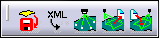
 |
Ply Data Export See Exporting Ply Data |
 |
XML Export See Exporting to XML |
 |
Laser Projector See Creating a Laser Projector |
|
|
Laser Projection Export See Exporting a Laser Projection |
 |
Laser Projection File Reader See Reading a Laser Projection File |
Splicing Toolbar
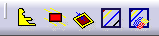
 |
Butt Splice Zone See Creating a Butt Splice Zone |
 |
No Splice Zone See Creating a No Splice Zone |
 |
Gap Offset See Creating a Gap Offset on a Splice Zone |
 |
Splice Plies See Creating SplicePlies |
 |
Splice Plies from Producibility See Creating Splice Plies from Producibility |
Manufacturing Toolbar

 |
Prepare
for Synchronization See Preparing for Synchronization |
 |
Manufacturing Document See Creating Manufacturing Data |
 |
Synchronize See Synchronizing a Manufacturing Document |
 |
Skin Swapping See Swapping the Skin |
 |
Edge Of Part See Defining the EEOP See Defining the MEOP |
 |
Material Excess See Defining the Material Excess |
 |
Stagger Origin
Points See Adding a Stagger Origin Point |
 |
Additional Geometries See Creating Additional Geometries |
 |
Stacking Text See Creating Stacking Texts |
 |
Stacking Text on Plies See Creating Stacking Texts on Plies |
Flattening Toolbar

 |
Producibility for Fiber Placement See Creating a Producibility for Fiber Placement |
 |
Producibility for Hand Layup See Creating a Producibility for Hand Layup |
 |
Edit Producibility Table See Editing the Producibility Table |
 |
Flattening See Flattening |
 |
Geometry Transfer See Transferring a Geometry from 3D to 2D and 2D to 3D |
 |
Producibility Inspection See Inspecting the Producibility |
 |
Fiber Direction See Displaying the Fiber Direction |
 |
Unfold Plies See Unfolding Entities |
Mirror Toolbar

 |
Mirror Part See Creating a Mirror Part |
 |
Synchronize Mirror Part See Synchronizing a Mirror Part |
Wireframe Toolbar
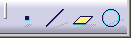
 |
Point See Creating Points |
 |
Line See Creating Lines |
 |
Plane See Creating Planes |
 |
Circle See Creating Circles |
Unfold Surface Toolbar

 |
Unfold See Unfolding a Surface |
 |
Transfer See Transferring Elements |
Surface Tools Toolbar
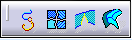
 |
Curve Smooth See Smoothing Curves |
 |
Join See Interoperability With Generative Shape Design |
 |
Healing See Healing Geometry |
 |
Surface Simplification See Simplifying Surfaces |