


-
Click Laser Projection File Reader
 in the Data Export toolbar.
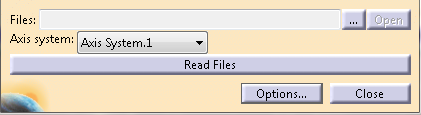
The Laser Projection File Reader dialog box is displayed:
-
Select the file to read: .ply, .cal, .xml, .lg. .lpd.
You can select a .ply file together with a .cal or .lpd file (for calibration points)
or 2 .xml files (one for plies information, one for target points information). -
Select an Axis system from the list.
The coordinates of the points are read in this axis system. -
Click Open to check the content of the file.
-
Click Read File.
A preview tree opens.
See About Laser Projection for more information
