
It contains the stacking order of the Composites part.


Open the Stack-UpFile2.CATPart document.

-
Click Ply Table
 in the Plies toolbar.
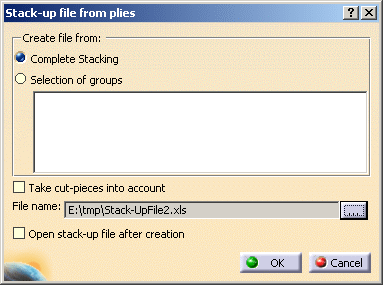
The Stack-up file from plies dialog box is displayed.
-
Select whether you want to create a file:
The export enables you to to analyze the stack-up and identify any possible problems. -
Select the Take cut-pieces into account check box, if required.
-
Click the ... button to define the path where to store the stack-up file.
Both .xls and .xlsx files are supported.
If you do not define any path, the file will be stored in the document's directory. -
Check the Open stack-up file after creation option to open the file once you click OK.
-
Click OK to generate the file.
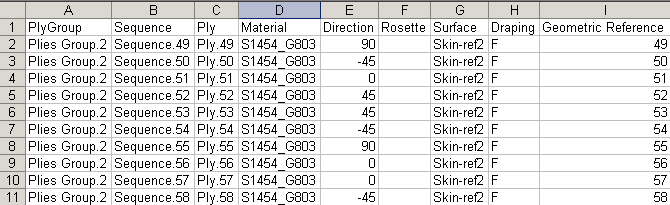
Here is an example of a stack-up file with no cut-pieces.
The stack-up file contains the following
information:
- Ply group
- Sequence
- Ply
- Material
- Direction
- Rosette
- Surface
- Draping
- Geometric reference
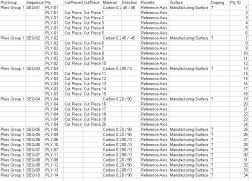
- Cut-piece group
- Cut-piece
-
See Using Non Crimp Fabrics for specific information.
- Exporting the stack-up file allows you to modify the default stack-up.
- The geometric reference associates each line of the stack-up
file with a ply in the stacking of the Composites part.
Once modified, you can import the stack-up file to apply the changes to the Composites part.
For more information, refer to Reading a Stack-up File from Plies.
