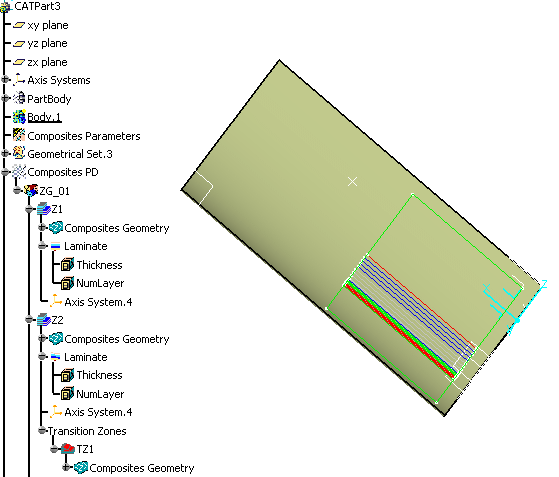
- When the mirror part is generated/synchronized, identification information is added to the original part. This information is absolutely necessary to allow the composites entities to be recognized (and therefore not recreated) during future synchronizations. Therefore, it is mandatory to save the original part if the long warning message appears.
- To avoid the long warning message, launch the c:prepare for
synchronization command from power input. This concerns
- The designer before generating the mirror part,
- Or the designer responsible of the mirrored part before the synchronizing with original part.
- Adding a 3D multi splice feature to a ply makes synchronization impossible.


-
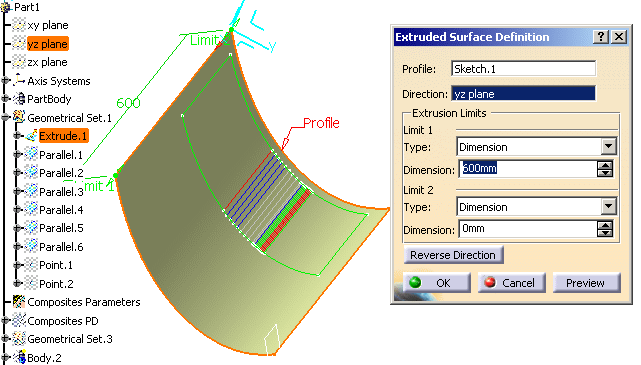
In ManufacturingData1.CATPart, modify the geometry as shown below:
-
Go to the Mirror Part.
Click Synchronize Mirror Part in the Mirror Part toolbar.
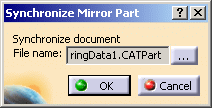
The Synchronize Mirror Part dialog box is displayed.
By default, it proposes you the original part.
If you want to synchronize the Mirror Part with another part, e.g. a revision of that part, click ...
and browse your directories to that file.
-
Click OK.
The Mirror Part is synchronized.