Insert
Method Plan

Process Part Separation
Process Definition
Preparation
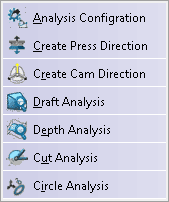
Analysis
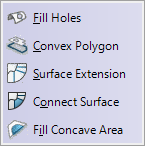
Part Extension
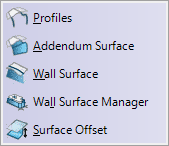
Addendum Design
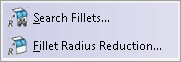
Modify Fillet Radius
Compensation

Quick Hide/Show
Quick OP Hide/Show
Quick Analysis
Quick Color
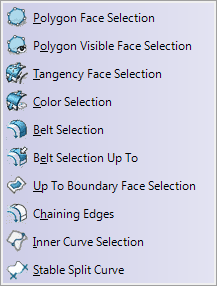
Selection Tools
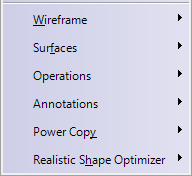
Other Commands
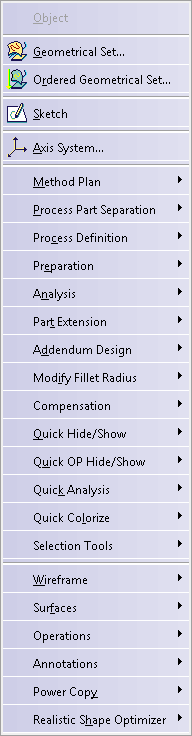
This is the menu bar for the Die Face Design workbench.
Tasks corresponding to general menu commands are described in the CATIA Version 5 Infrastructure User's Guide.
Insert |
||
|
|
||
| Method Plan | ||
| Process Part Separation | ||
| Process Definition | ||
| Preparation | Preparation | |
| Analysis | Analysis | |
| Part Extension | Part Extension | |
| Addendum Design | Addendum Design | |
| Modify Fillet Radius | Modify Fillet Radius | |
| Compensation | Compensation | |
| Quick Hide/Show | Quick Hide/Show | |
| Quick OP Hide/Show | ||
| Quick Analysis | Quick Analysis | |
| Quick Colorize | Quick Colorize | |
| Selection Tools | Selection Tools | |
| Wireframe | Other Commands | |
| Surfaces | ||
| Operations | ||
| Annotations | ||
| Advanced Replication Tools | ||
| Realistic Shape Optimizer | ||
Method Plan |
||
|
|
Process Generator Wizard | Using the Process Generator Wizard |
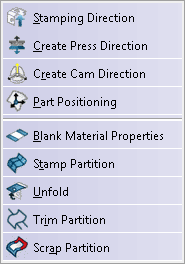
Process Part Separation |
||
|
|
||
| Stamping Direction | Creating the Stamping Direction | |
| Create Press Direction | Creating a Press Direction | |
| Create Cam Direction | Creating a Cam Direction | |
| Process Positioning | Defining the Positioning | |
| Blank Material Properties | Defining the Blank Material Properties | |
| Stamp Partition | Creating a Stamp Partition | |
| Unfold | Unfolding Surfaces | |
| Trim Partition | Creating a Trim Partition | |
| Scrap Partition | Creating a Scrap Partition | |
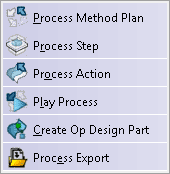
Process Definition |
||
|
|
Process Method Plan | Defining a Method Plan |
| Process Step | Defining Process Steps | |
| Process Action | Attaching an Action to an Existing Step | |
| Play Process | Playing the Process | |
| Create Op Design Part | Creating an OP Design Part | |
| Process Export | Exporting Process Data to a XML File | |
Preparation |
||
|
|
Light Surface | Creating a Light Surface |
Analysis |
||
|
|
Analysis Configuration | Defining the Global Parameters of Analyses |
| Draft Analysis | Performing a Draft Analysis | |
| Depth Analysis | Performing a Depth Analysis | |
| Cut Analysis | Performing a Cut Analysis | |
| Circle Analysis | Performing a Circle Analysis | |
Part Extension
|
||
|
|
Fill Holes | Filling Holes on Surfaces |
| Convex Polygon | Computing a Convex Polygon | |
| Surface Extension | Extending Surfaces | |
| Connect Surface | Creating a Connect Surface | |
| Fill Concave Area | Filling a Concave Area | |
Addendum Design |
||
|
|
Profiles | Creating Profiles |
| Addendum Surface | Creating an Addendum Surface | |
| Wall Surface | Creating a Wall Surface | |
| Wall Surface Manager | Managing Wall Surfaces | |
| Surface Offset | Creating a Local Offset on a Surface | |
Modify Fillet Radius |
||
|
|
Search Fillets | Searching Fillets |
| Fillet Radius Reduction | Reducing the Fillet Radius | |
Compensation |
||
|
|
Pivot Flange | Creating a Pivot Flange |
Quick Hide/Show |
||
|
|
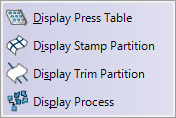
Display Press Table | No Documentation |
| Display Stamp Partition | ||
| Display Trim Partition | ||
| Display Process | ||
Quick OP Hide/Show |
||
|
|
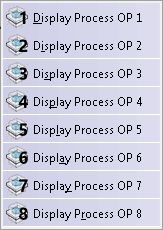
No Documentation | |
| Display Process OP | ||
Quick Analysis |
||
|
|
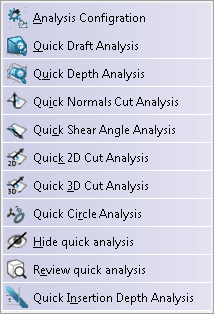
Analysis Configuration | Running a Quick Review |
| Quick Draft Analysis | ||
| Quick Depth Analysis | ||
| Quick Normals Cut Analysis | ||
| Quick Shear Angle Analysis | ||
| Quick 2D Analysis | ||
| Quick 3D Analysis | ||
| Quick Circle Analysis | ||
| Hide Quick Analysis | ||
| Review Quick Analysis | ||
| Quick Insertion Depth Analysis | ||
Quick Color |
||
|
|
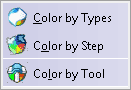
Color by Types | No Documentation |
| Color by Step | ||
| Color by Tool | ||
Selection Tools |
||
|
|
Polygon Face Selection | Using Selection Tools |
| Polygon Visible Face Selection | Using Selection Tools | |
| Tangency Face Selection | Using Selection Tools | |
| Color Selection | Using Selection Tools | |
| Belt Selection | Using Selection Tools | |
| Belt Selection Up to | Using Selection Tools | |
| Up To Boundary Face Selection | Selecting Faces Up To Boundary | |
| Chaining Edges | Chaining Edges | |
| Split Stable Curve | Specifying a Functional Area by a Stable Split Curve | |
Other Commands |
||
|
|
Wireframe | Other Commands |
| Surfaces | ||
| Operations | ||
| Annotations | ||
| PowerCopy | ||
| Realistic Shape Optimizer |