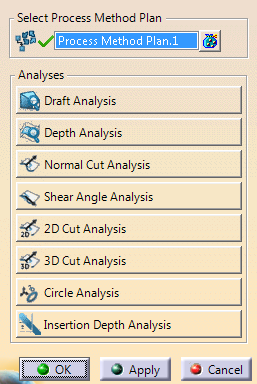
-
Select a Method Process Plan.
-
Click the button of the required analysis and enter the values in the dialog box.
- The global parameters are created directly under the Process Method Plan, under the DFDProcessBody.
- Relations are created between the global and local parameters of each analysis created in the process.
- The result of the cut analysis are avalible in Vectors and Acute/Obtuse modes outside the command.
 in the Analysis toolbar.