-
Click Blank Material Properties
 in the Process Part Separation toolbar.
-
Select
-
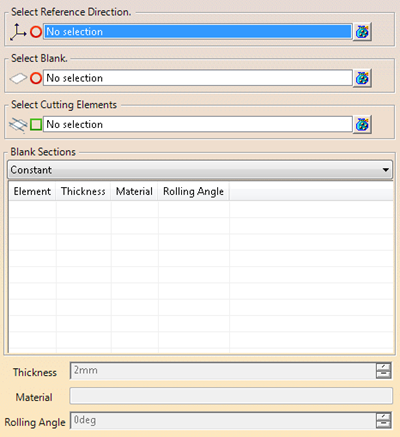
Select the type of blank from the list under Blank Sections.
- Constant
- Tailor Welded
- Tailor Rolled
The sections are displayed in the table below.
-
Select one line in the table and set the parameters values.
- Thickness
- Material
- Rolling Angle, that is the angle between the X-Axis of the Reference Direction and the rolling directon of the blank section.
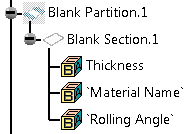
A Blank Partition
feature is created.
It contains a node for each Blank Section that in turn
contains the parameters of the section.