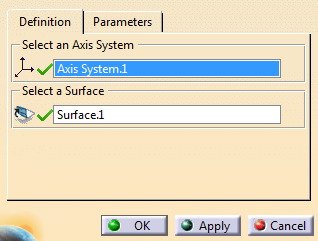
Click Convex Polygon
in thePart Extension toolbar.
Select an axis system (stamping direction) and a
surface.
Go to
Parameters and edit them as required to improve
the quality of the polygon.
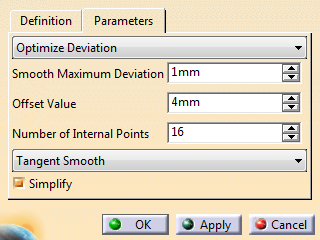
Optimize Deviationuses the Smooth
Maximum Deviation to minimize the deviation between
the convex polygon and the smallest polygon that contains
the surface.
Optimize Curvatureoptimizes the resulting
curvature to smooth the convex polygon.
Smooth Maximum Deviationdefines the allowed deviation between
the initial curve and the smoothed curve. The resulting
smoothed curve fits into a pipe with
A radius equal to the
maximum deviation value
A center curve defined by the
selected curve.
Offset Value defines the offset value to
compute the final sketch. The final sketch lies at a
small distance from the surface boundary in order to round
sharp angles.
The offset value is this distance.
Number of Internal Points defines the number
of internal points to compute the convex polygon.
Tangent Smooth generates a G1 smoothing of
the polygon.
Curvature Smooth generates a G2 smoothing of
the polygon.
Simplify: Select this check box to simplify
the resulting topology.
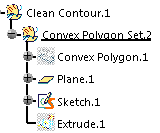
Click OK. The convex polygon is computed in a
plane parallel to the xy plane of the selected axis system and
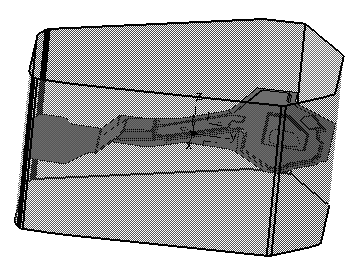
created as a sketch under Clean Contour geometrical set.