These are the specific icon toolbars that belong to the Die Face Design workbench.
The toolbars
are located on the right in the default set-up
while Selection Tools
is on the top bar.
Method Plan Toolbar

 |
Process Generator Wizard See Using the Process Generator Wizard |

Process Part Separation Toolbar

 |
Stamping Direction See Creating the Stamping Direction |
 |
Create Press Directon See Creating a Press Direction |
 |
Create Cam Direction See Creating a Cam Direction |
 |
Part Positioning See Defining the Positioning |
 |
Blank Material Properties See Defining the Blank Material Properties |
 |
Stamping Partition See Creating a Stamp Partition |
 |
Unfold See Unfolding Surfaces |
 |
Trim Partition See Creating a Trim Partition |
 |
Scrap Partition See Creating a Scrap Partition |
Process Definition Toolbar

 |
Process Method Plan See Defining a Method Plan |
 |
Process Step See Defining Process Steps |
 |
Process Action See Attaching an Action to an Existing Step |
 |
Play Process See Playing the Process |
 |
Create OP Design Part See Creating an OP Design Part |
 |
Process Export See Exporting Process Data to a XML File |
Preparation

 |
Light Surface See Creating a Light Surface |
Analysis Toolbar

 |
Analysis Configuration See Defining the Global Parameters of Analyses |
 |
Draft Analysis See Performing a Draft Analysis |
 |
Depth Analysis See Performing a Depth Analysis |
 |
Cut Analysis See Performing a Cutout Analysis |
 |
Circle Analysis See Performing a Circle Analysis |
Part Extension Toolbar
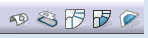
 |
Fill Holes See Filling Holes on Surfaces |
 |
Convex Polygon See Computing a Convex Polygon |
 |
Surface Extension See Extending Surfaces |
 |
Connect Surface See Creating a Connect Surface |
 |
Clean Contour Fill Concave See Creating a Fill for a Clean Contour |
Addendum Design Toolbar
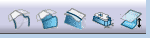
 |
Profiles See Creating Profiles |
 |
Addendum Surface See Creating an Addendum Surface |
 |
Wall Surface See Creating an Wall Surface |
 |
Wall Surface Manager See Managing Wall Surfaces |
 |
Surface Offset See Creating a Local Offset on a Surface |
Modify Fillet Radius Toolbar

 |
Search Fillets see Searching Fillets |
 |
Fillet Radius Reduction See Reducing the Fillet Radius |
Compensation Toolbar

 |
Pivot Flange See Compensating Flange Springback Effect |
Selection Tools Toolbar

 |
Polygon Face Selection See Using Selection Tools |
 |
Polygon Visible Face Selection See Using Selection Tools |
 |
Tangency Face Selection See Using Selection Tools |
 |
Color Selection See Using Selection Tools |
 |
Belt Selection See Using Selection Tools |
 |
Belt Selection Up to See Using Selection Tools |
 |
Up To Boundary Face Selection See Selecting Faces up to Boundary |
 |
Chaining Edges see Chaining Edges |
 |
Split Stable Curve See Specifying a Functional Area by a Stable Split Curve |
Other Commands
See details here.