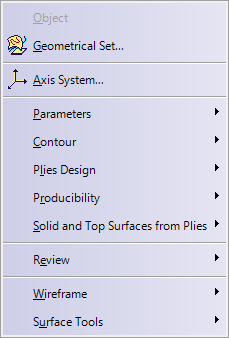
| The various menus and menu commands that are specific to Composites Braiding are described below.
|
| Start |
File |
Edit | View | Insert | Tools | Windows | Help |
Tasks corresponding to general menu commands are described in the Infrastructure User's Guide. Refer to the Menu Bar section.
| For... | See... | ||
|
|
|||
| Geometrical Set... | Manage geometrical sets | ||
| Axis System... | Axis System in Part Design Users' Guide. | ||
| Parameters | Insert > Parameters | ||
| Contour | Insert > Contour | ||
| Plies Design | Insert > Plies Design | ||
| Producibility | Insert > Producibility | ||
| Solid and Top Surfaces from Plies | Insert > Solid and Top Surfaces from Plies | ||
| Review | Insert > Review | ||
| Wireframe | Insert > Wireframe | ||
| Surface Tools | Insert > Surface Tools | ||
| For... | See... | |
 |
Composites Parameters |
Defining the Composites Parameters |
| For... | See... | |
 |
Defining a Contour |
| For... | See... | ||
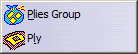 |
Plies Group | Defining a Plies Group | |
| Ply | Creating Plies for Braiding |
| For... | See... | ||
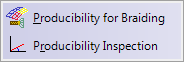 |
Producibility for Braiding | Creating a Producibility for Braiding | |
| Producibility Inspection | Inspecting the Producibility | ||
| For... | See... | ||
 |
Generate Braiding Surface | Generating a Braiding Surface |
| For... | See... | ||
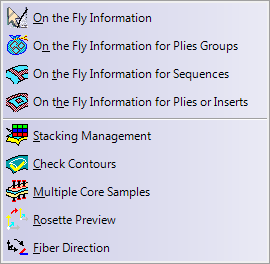 |
On the Fly Information | Displaying Information on the Fly | |
| Stacking Management | Using the Stacking Management | ||
| Check Contours | Checking Contours | ||
| Multiple Core Samples | Creating Multiple Core Samplings | ||
| Rosette Preview | Previewing the Rosette | ||
| Fiber Direction | Displaying the Fiber Direction |
| For... | See... | |
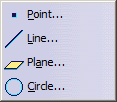 |
Point... | Creating Points |
| Line... | Creating Lines | |
| Plane... | Creating Planes | |
| Circle... | Creating Circles |
| For... | See... | |
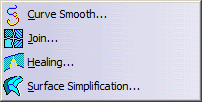 |
Curve Smooth | Smoothing Curves |
| Join... | Joining Surfaces or Curves | |
| Healing | Healing Geometry | |
| Surface Simplification | Simplifying Surfaces |