You just need to follow the instructions as you progress.

| Before we discuss the detailed instructions for using the Functional
Tolerancing and Annotations or the Product Functional Tolerancing and
Annotations workbench, the following scenario aims at giving you a feel for
what you can do. You just need to follow the instructions as you progress. |
|
| The Getting Started section is composed of the following tasks: | |
|
|
|
|
|
This scenario should take about 15 minutes to complete. |
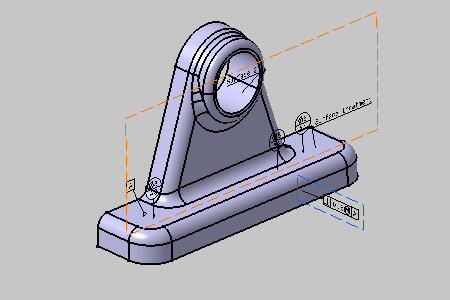
| Eventually, the toleranced part will look like this: | |
|