-
Select Annotation Set.1 in the specification tree.
-
Right-click and select the Properties contextual command.
-
Click Tolerancing and Annotations tab.
The dialog box that appears displays information about the set, namely:-
The selected set name: as displayed in the specification tree
-
The standard used: ASME
-
The number of specifications: you have created seven specifications.
-
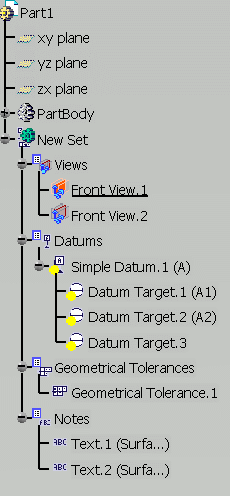
The detail of these specifications: you have created two textual annotations, one GDandT, one datum and three datum targets.
-
-
Click the Feature Properties tab (if not available, click More) and enter a new name in the Feature Name field.
For instance, enter New Set.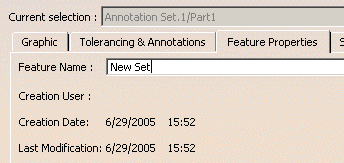
-
Click the Specifications tab to specify the specification of an annotation set as either engineering or manufacturing.
Based on the specification of the annotation set, the FTA requirement specifications are generated.By default, the Engineering specifications option is selected.
To generate the requirement specifications:
-
Right-click the annotations in the annotations set and select Properties.
-
In the Properties dialog box, click the Manufacturing tab.
- For the annotation set with manufacturing
specifications, clear the Manufactured check
box under Manufacturing specifications.
By default, this check box is clear. - For the annotation set with engineering
specifications, select the To Manufacture
check box under Engineering specifications.
By default, this check box is clear.
- For the annotation set with manufacturing
specifications, clear the Manufactured check
box under Manufacturing specifications.
-
-
Click OK to validate and close the dialog box.
The new name is displayed in the specification tree.