
Note that along with the pattern of elongated holes, you can also dimension and create a geometrical tolerance on pattern of other types of non cylindrical holes (rectangular holes with angular corners and rectangular holes with rounded corners).

Dimensioning and Tolerancing of Elongated Pattern Holes by Selecting a DRF
-
Click the Tolerancing Advisor
 in Annotations toolbar.
The Semantic Tolerancing Advisor dialog box appears.
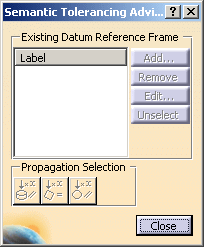
-
Select the pattern of elongated holes in the specification tree.
The Semantic Tolerancing Advisor dialog box is updated.
The buttons and options available in the dialog box depend on the selected features and the standard used. - Click
Label A
in the Semantic Tolerancing Advisor
dialog box.
The Semantic Tolerancing Advisor dialog box is updated showing the options available when a DRF is selected.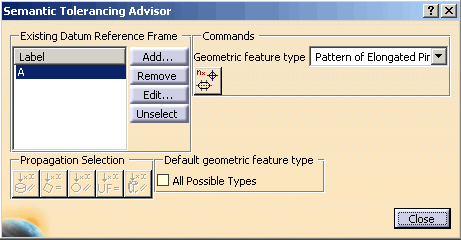
- Click
Position-with-DRF Specification
 :
:
The Geometrical Tolerance dialog box appears. - Change the Numerical value to 0.2mm.
- Click
OK.
The position tolerance is created and all the faces of the pattern are highlighted. Its representation is attached to the first component of the pattern of holes.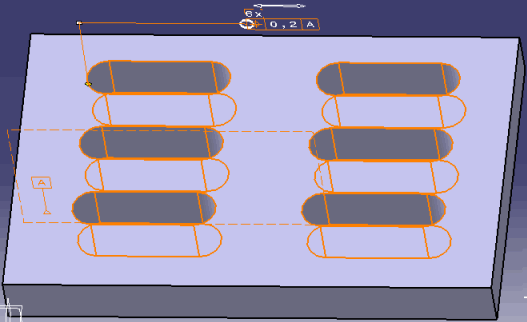
- Click Close to close the Semantic Tolerancing Advisor dialog box.

Dimensioning and Tolerancing of Elongated Pattern Holes without Selecting a DRF
When no DRF is selected, the Semantic Tolerancing Advisor proposes creation of the pattern of dimension between parallel planes and between cylindrical faces, the pattern of text and flag note on the pattern of holes (including the two planes + two cylindrical faces). This is also possible for the pattern of rectangular holes with angular corners and rectangular holes with rounded corners.
The following scenario describes the creation of the pattern of dimension between parallel planes and between cylindrical faces of pattern of elongated holes.
-
Click the Tolerancing Advisor
in Annotations toolbar.
The Semantic Tolerancing Advisor dialog box appears. -
Select the pattern of elongated holes in the specification tree.
The Semantic Tolerancing Advisor dialog box is updated.
The buttons and options available in the dialog box depend on the selected features and the standard used. For example, the following dialog box displays the options when no DRF is selected.
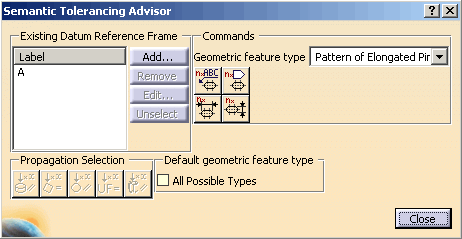
-
Click Distance Creation
 :
:
The Limit of Size Definition dialog box appears. -
Click OK.
The pattern dimension annotation is created and the parallel planes are highlighted. Its representation is attached to the planar faces of he first component of the pattern of holes.
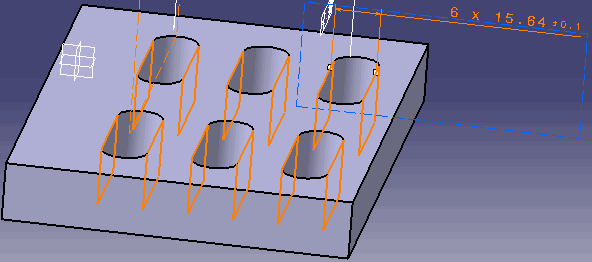
-
Click the Distance Creation icon
 :
:
The Limit of Size Definition dialog box appears. -
Click OK.
The pattern dimension annotation is created and the cylindrical faces are highlighted. Its representation is attached to the cylindrical faces of the first component of the pattern of holes.
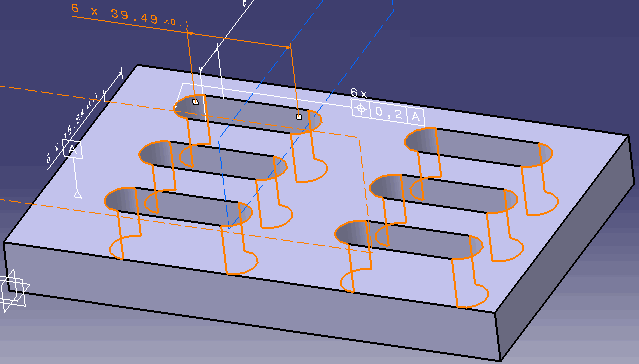
-
Click Close to close the Semantic Tolerancing Advisor dialog box.
