Toolbars

This section describes a number of useful tools accessed via toolbars and sub-toolbars available in DMU Kinematics Simulator workbench.

The toolbars are located on the right in the default set-up except for Measure toolbar which is located along the bottom and User Selection Filter toolbar which appears when selected in the View > Toolbars menu bar.

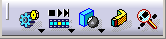
DMU kinematics Toolbar
Simulation Sub-Toolbar
Kinematics Joints Sub-Toolbar
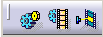
DMU Generic Animation Toolbar
DMU Generic Simulation Commands Sub-Toolbar
DMU Player Commands Sub-Toolbar
Clash Mode Sub-Toolbar
Kinematics Update Toolbar
DMU Space Analysis Toolbar
 

DMU Kinematics Toolbar

See Simulation Sub-toolbar below

Mechanism Dressup
See Managing the Mechanism Dressup

See Kinematics Joints Sub-toolbar below

Fixed Part
See Creating a Fixed Part

Assembly Constraints Conversion
See Converting Constraints into Joints
See Converting Constraints into Joints (Advanced Mode)

Speed and Acceleration
See Measuring Speed and Acceleration

Mechanism Analysis
See Analyzing a Mechanism

Simulation Sub-Toolbar

Simulation with Commands
See Simulating with Commands
See Detecting Clashes Automatically
See Setting Joint Limits 
See Checking Joint Limits
See Using Sensors
Simulation with Laws
See Simulating with Laws
See Defining Laws in a V5 Mechanism

Kinematics Joints Sub-Toolbar

Revolute Joint
See About Joints
See Creating a Mechanism and Revolute Joints
See Creating Revolute Joints 
See Creating Revolute With Offset
See Creating Revolute Joints With Centered Option

Prismatic Joint
See Creating Prismatic Joints

Cylindrical Joint
See Creating Cylindrical Joints

Spherical Joint
See Creating Spherical Joints

Planar Joint
See Creating Planar Joints

Rigid joint
See Creating Rigid Joints

Point Curve Joint
See Creating Point Curve Joints

Slide Curve Joint
See Creating Slide Curve Joints

Roll Curve Joint
See Creating Roll Curve Joints

Point Surface Joint
See Creating Point Surface Joints

Universal Joint
See Creating Universal Joints

Gear Joint
See Creating Gear Joints

Screw Joint
See Creating Screw Joints

Cable Joint
See Creating Cable Joints

Rack Joint
See Creating Rack Joints

CV Joint
See Creating CV Joints

Axis-based Joint
See Creating Axis-based Joints
See More About Resulting Constraints

DMU Generic Animation Toolbar

See DMU Generic Simulation Commands Sub-Toolbar below
See DMU Player Commands Sub-Toolbar below

See Clash Mode Sub-Toolbar below

Swept Volume
See Defining a Swept Volume
See Defining a Swept Volume from a Moving Reference
See Filtering Swept Volume Positions
Trace
See Using the Trace Command
See Generating a Trace from a V5 Mechanism

DMU Generic Simulation Commands Sub-Toolbar


Simulation
See Recording Simulations

Compile Simulation
 
See Compiling a Simulation into a Replay in the DMU Fitting Simulator User's Guide
Replay
See Replaying a Compiled Simulation

DMU Player Commands Sub-Toolbar

Simulation Player
See Sequencing Mechanisms with Laws
Sequence
See Sequencing Mechanisms with Laws and also read Sequences section in the DMU Fitting Simulator User's Guide

Clash Mode Sub-Toolbar

Clash Detection (On)
See Detecting Clashes Automatically
Clash Detection (Off)
See Detecting Clashes Automatically
Clash detection (Stop)
See Detecting Clashes Automatically

Kinematics Update Toolbar

Update Positions
See Using the Update Command
Import Sub-Mechanisms
See Visualizing and Simulating Mechanisms in Sub-products
Reset Positions
See Resetting a V5 Mechanism

DMU Space Analysis Toolbar

Clash
See Detecting Distances
Distance and Band Analysis
See Detecting Interferences

DMU Measure

Measure Between
See DMU Space Analysis User's guide
Measure Item
See DMU Space Analysis User's guide