This section describes the various icons available in the Digitized Shape Editor workbench.
The toolbars
- Cloud Import and Cloud Export
- Cloud Edition
- Cloud Reposit
- Mesh
- Operations
- Scan Creation
- Mesh Edition
- Curve Creation
- Analysis
- Transformations
- Wireframe
The View Management tool bar is located at the bottom of the screen.
Cloud Import and Cloud Export Toolbar

 |
Import See Importing Files. |
 |
Export See Exporting Clouds of Points or Meshes. |

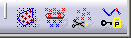
Cloud Edition Toolbar
 |
Activate See Activating a Portion of a Cloud of Points. |
 |
Filter Homogeneous Filtering or Adaptive Filtering. |
 |
Remove Removing Elements from a Cloud of Points. |
 |
Protect Protecting Characteristic Lines. |
Cloud Reposit Toolbar
 |
See Reposit sub-toolbar below. |
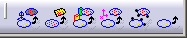
Reposit Sub-toolbar
 |
Align using the compass See Aligning using the Compass. |
 |
Align by Best Fit See Aligning by Best Fit. |
 |
Align with Constraints See Aligning Clouds with Constraints. |
 |
Align with RPS See Aligning with RPS. |
 |
Align using Spheres See Aligning Clouds using Spheres. |
 |
Align with Previous Transformation See Use Align Transformation. |
Mesh Toolbar

 |
Mesh Creation See Creating a Mesh. |
|
 |
Mesh Offset See Offsetting the Mesh. |
|
 |
Rough Offset See Creating Rough Offset. |
|
 |
Flip Edges See Flipping Edges. |
|
 |
Mesh Smoothing See Smoothing Meshes. |
|
 |
Mesh Cleaner See Cleaning a Mesh. |
|
 |
Fill Holes See Filling Holes on Meshes. |
|
 |
Interactive Triangle Creation See Creating Triangles Interactively. |
|
 |
Decimate See Decimating Meshes. |
|
 |
Optimize See Optimizing Meshes. |
Operations Toolbar

 |
Merge Clouds See Merging Clouds of Points. |
|
 |
Merge Meshes See Merging Meshes. |
|
 |
Extract Data See Extracting Data from a Cloud of Points. |
|
 |
Disassemble Data See Disassembling Data from a Cloud of Points. |
|
 |
Split a Mesh or a Cloud See Splitting Meshes. |
|
 |
Trim/Split See Trimming or Splitting a Mesh. |
|
 |
Projection on Plane See Projecting a Mesh on a Plane. |
|
 |
Cloud/Points See Creating Clouds/Points. |
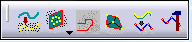
Scan Creation Toolbar
 |
Curve Projection See Projecting Curves. |
|
 |
Planar Sections See Planar Sections sub-toolbar below. |
|
 |
Scan on Cloud See Creating Scans. |
|
 |
Free Edges See Creating Free Edges. |
|
 |
Discretize Curves See Discretizing Curves. |
|
 |
Scan Edition See Editing Scans. |
Planar Sections Sub-Toolbar

|
|
Planar Sections See Creating Planar Sections. |
|
 |
XYZ Automatic Planar Sections See Creating Automatic Planar Sections. |
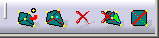
Mesh Edition Toolbar
 |
Add point See Adding Points. |
|
 |
Move point See Moving Points. |
|
 |
Remove
element See Removing Elements. |
|
 |
Collapse element See Collapsing Elements. |
|
|
|
Flip edge See Flipping Edges. |
Curve Creation Toolbar
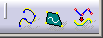
 |
3D Curve See Creating 3D Associative Curves or Creating 3D Associative Curves on a Scan Of Cloud. |
 |
Curve on Mesh See Creating a Curve on Mesh. |
 |
Curve from scan See Curve from Scans. |
Analysis Toolbar

 |
Information See Displaying Information. |
 |
Deviation Analysis See Performing a Deviation Analysis. |
Cloud Transformations Toolbar
 See
Cloud Transformations sub-toolbar below.
See
Cloud Transformations sub-toolbar below.
Cloud Transformations Sub-toolbar
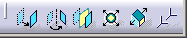
 |
Translate See Translating Geometry. |
 |
Rotate See Rotating Geometry. |
 |
Symmetry See Performing a Symmetry on Geometry. |
 |
Scaling See Transforming Geometry by Scaling. |
 |
Affinity See Transforming Geometry by Affinity. |
 |
Axis to Axis See Transforming Elements from an Axis to Another. |
Wireframe Toolbar
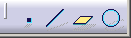
 |
Point See Creating Points in the Generative Shape Design & Optimizer User's Guide. |
 |
Line See Creating Lines in the Generative Shape Design & Optimizer User's Guide. |
 |
Plane See Creating Planes in the Generative Shape Design & Optimizer User's Guide. |
 |
Circle See Creating Circle n the Generative Shape Design & Optimizer User's Guide. |
View Management Toolbar

 |
View Selection See Managing Interactive Views. |
 |
View Modification See Managing Conical Views. |