
- You will pick points on the mesh.
- You can change the view orientation while creating the curve.
- Multi-cells meshes are not allowed.
- You can control the continuity of the Curve on Mesh.
- You can create a multi-cells Curve on Mesh.
- You can create a closed Curve on Mesh.
- Some graphical and statistical information are available during creation.
- The output 3D curves on mesh are features, hence they are associative and editable.

- Split points are the points picked to create the Curve on Mesh.
Intermediate points are automatic construction points between the split points.
They lie on the mesh and form a scan that is then smoothed to create the curve.
Click here for more information on the type of points. - Please read the Parameters for Curve on Mesh chapter for an optimal use of the command. This chapter describes:


-
Click Curve on Mesh
 .
.
The Curve on Mesh dialog box is displayed.
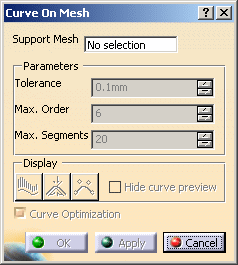
-
Select the mesh that will support the curve.
Multi-selection is not allowed. Multi-cells meshes are not allowed.
Its name is displayed in the dialog box and the rest of the dialog box becomes active.
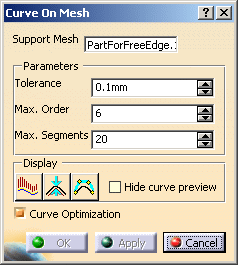
The Curve Optimization checkbox is selected by default.
However, if you have selected a large support mesh, clear this check box to improve performances during the creation of the curve.
Note that when this check box is cleared, the order and number of segments of the curve are not optimized and can be equal to the maximum values. -
Pick points on the mesh to create the curve:

The points you pick are the split points of the curve. They are projected on the mesh, along the view direction. Intermediate points are automatically computed between each couple of split points, and the resulting scan is smoothed to create the curve.
You can adjust the Tolerance of smoothing, as well as the maximum order (Max. Order) and maximum number of segments (Max. Segments) of the curve.
You can also constrain both curve endpoints by picking an existing 3D point, a curve, a plane, or an edge. -
Click OK to create the curve and exit the dialog box.
