The Prismatic Machining workbench includes specific icon toolbars:
The other toolbars in the workbench are common to all the Machining
products and are described in the
NC
Manufacturing Infrastructure User's Guide.
Machining Operations Toolbar
This toolbar contains the commands for creating and editing 2.5 axis Milling
and Axial Machining operations.
The icons for creating and editing 2.5 axis Milling operations are as follows.
Axial Machining Operations Sub-toolbar
Roughing Operations Sub-toolbar
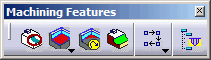
Machining Features Toolbar
This toolbar contains the commands for creating and managing machining features.
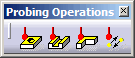
Probing Operations Toolbar
This toolbar contains the commands for creating and managing Probing
operations.
Multi-Pockets Operations
This toolbar contains the commands for creating and managing Multi-Pockets
operations.