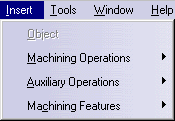
See Insert > Auxiliary Operations below
See Insert > Machining Features below
The menu commands that are specific to Lathe Machining are described below.
| Start | File | Edit | View | Insert | Tools | Windows | Help |
Tasks corresponding to general menu commands are described in the CATIA Version 5 Infrastructure User's Guide.
Tasks corresponding to menu commands that are common to all Machining products are described in the NC Manufacturing Infrastructure User's Guide.
|
|
See Insert > Machining Operations below |
|
See Insert > Auxiliary Operations below |
|
|
See Insert > Machining Features below |
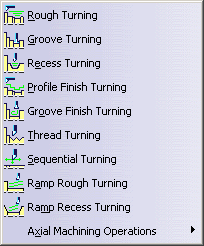 |
Command... | Description... |
| Rough Turning |
Create a Longitudinal Rough Turning
Operation Create a Parallel Contour Rough Turning Operation Create a Face Rough Turning Operation |
|
| Groove Turning | Create a Groove Turning Operation | |
| Recess Turning | Create a Recess Turning Operation | |
| Profile Finish Turning | Create a Profile Finish Turning Operation | |
| Groove Finish Turning | Create a Groove Finish Turning Operation | |
| Thread Turning | Create a Thread Turning Operation | |
| Sequential Turning | Create a Sequential Turning Operation | |
| Ramp Rough Turning | Create a Ramp Rough Turning Operation | |
| Ramp Recess Turning | Create Ramp Recess Turning Operation | |
| Axial Machining Operations | Create Axial Machining Operations |
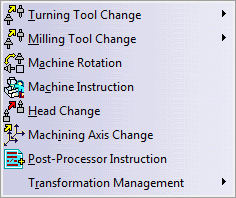 |
Command... | Description... |
| Turning Tool Change | See Insert > Auxiliary Operations > Turning Tool Change below | |
| Milling Tool Change | See Insert > Auxiliary Operations > Milling Tool Change below | |
| Machine Rotation | See Inserting Machine Rotation | |
| Machine Instruction |
Available if NC Machine Tool Simulation is installed. Manages machine axes motion and/or lock machine axes in the machining program. External/Peripheral axis position and/or lock. Lock parallel axis. Example: NC Machine with W axis. Capability to influence
machine simulation by positioning rotary axes at user
defined positions. |
|
| Head Change | See Inserting a Head Change | |
| Machining Axis Change | See Inserting Machining Axis Change | |
| Post-Processor Instruction | See Inserting PP Instruction | |
| Transformation Management | See Insert > Auxiliary Operations > Transformation Management |
Commands allow inserting turning tool changes in the program.
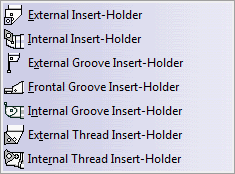 |
Command... | Description... |
| External Insert-Holder | See External tool for more information about this resource | |
| Internal Insert-Holder | See Internal tool for more information about this resource | |
| External Groove Insert-Holder | See External Groove tool for more information about this resource | |
| Frontal Groove Insert-Holder | See Frontal Groove tool for more information about this resource | |
| Internal Groove Insert-Holder | See Internal Groove tool for more information about this resource | |
| External Thread Insert-Holder | See External Thread tool for more information about this resource | |
| Internal Thread Insert-Holder | See Internal Thread tool for more information about this resource |
Commands for the Milling Tool Change.
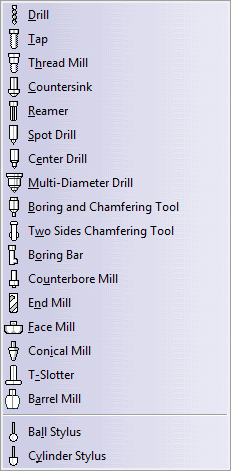 |
Command... | Description... |
| All | See Inserting Tool Change and Tool Change toolbar |
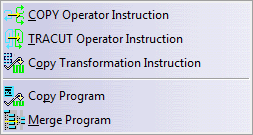 |
Command... | Description... |
| Copy Operator Instruction | See Inserting COPY Operator | |
| TRACUT Operator Instruction | See Inserting TRACUT Operator | |
| Copy Transformation Instruction |
See Inserting Copy Transformation Instruction |
|
| Copy Program | Defining an Area to Machine - Copy Program | |
|
Defining an Area to Machine - Merge Program |
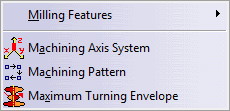 |
Command... | Description... |
| Milling Features | See Insert > Machining Features > Milling Features | |
| Machining Axis System | Creates a Machining Axis System feature, which is referenced in the Machining Axis Change auxiliary operation. | |
| Machining Pattern | See Machining Patterns | |
| Maximum Turning Envelope | See Computing the Maximum Turning Envelope |
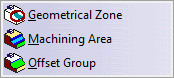 |
Command... | Description... |
| Geometrical Zone | Using Geometrical Zones | |
| Machining/ Area | Defining an Area to Machine | |
|
Creating Offset Groups |