|
This task illustrates how to create a
Longitudinal Rough Turning operation
in the program.
To create the operation you must define:
|
||
 |
Open the Lathe01.CATPart document, then select Machining > Lathe Machining from the Start menu. Make the Manufacturing Program current in the specification tree. | ||
 |
1. |
Select
the Rough Turning icon
 . .
A Rough Turning entity along with a default tool is added to the program.
|
|
 |
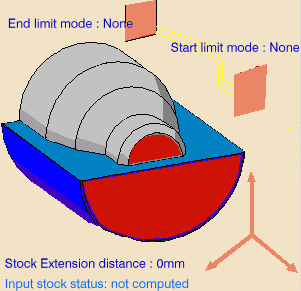
The part and stock of the icon are colored red indicating that this geometry is required. All other geometry is optional. | ||
| 2. | Click the red part in the icon then select the desired part profile in the 3D window. | ||
|
The Edge Selection toolbar
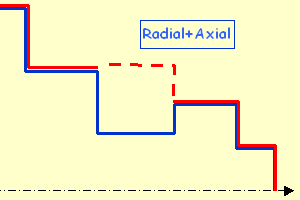
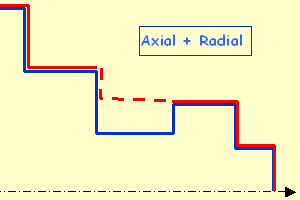
appears to help you with contour selection. The Automatic Linking option allows you to select a first element then the element to navigate to in order to complete the profile selection. The Axial/Radial and Radial/Axial Linking options are also useful for profile selection. |
|||
|
|
||
| The part of the icon is now colored green indicating that this geometry is now defined. | |||
|
|
In addition to the global offsets that you can assign to
the part profile, you can also add local offset values.
Right-click the geometry to be assigned the local value, and select the Add Local Information contextual command. A dialog box appears allowing you to assign the desired local values. Other contextual commands are available for managing local information. Please refer to Local Information for more details. |
||
| 3. | Click the red stock in the icon then select the desired stock profile in the 3D window. | ||
| 4. | Set Part Offset to 5mm. | ||
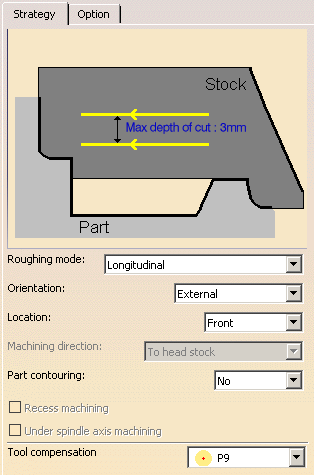
| 5. | Select the Strategy tab page
 to specify the main machining strategy parameters:
|
|
|
| 6. | Double-click Max depth of cut in the icon.
Set this value to 15mm in the Edit Parameter dialog box and click OK. |
||
|
|
Other optional parameters can be set in the Options tab (lead-in and so on). | ||
|
|
A tool is proposed by default when you want to create
a machining operation. If the proposed tool is not suitable, just select
the Tool tab page
 to specify the tool you want to use.
Please refer to Edit the Tool of a Lathe Operation. |
||
| 7. | Select the Feeds and Speeds
tab page
 to specify the feedrates and spindle speeds for the operation.
See Feeds and Speeds for Rough Turning for more information. |
||
| 8. | Select the Macros
tab page
 to specify the operation's transition paths (approach and retract motion,
for example).
to specify the operation's transition paths (approach and retract motion,
for example).
Approach linking and retract linking motions are interruptible for this type of operation. See Define Macros on a Lathe Operation for more information. |
||
|
|
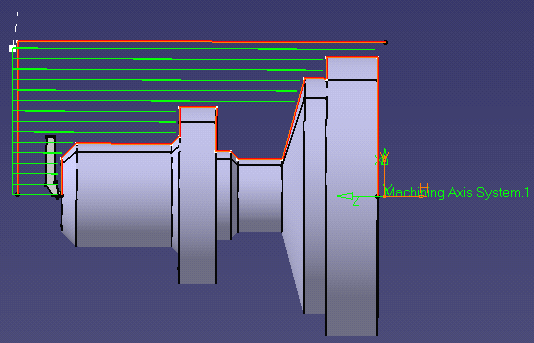
Before accepting the operation, you should check its
validity by
replaying the tool path.
|
||
| 9. | Click OK to create the operation. | ||
|
|
|||


 .
.