


-
Click the Internal Feature icon
 .
.
Internal features can have different shapes. The Internal Feature dialog box that appears displays the Prism icon as the default shape to be created.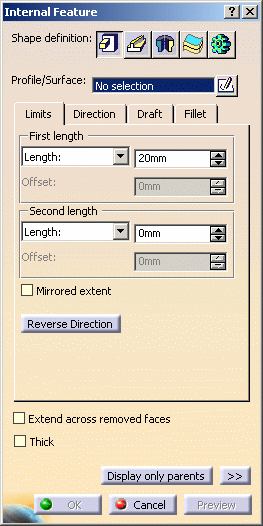
-
If you prefer a different shape, click any of the other four shapes available. To know how to create any of them, refer to the Prism, Sweep, Revolve, Thick Surface or External Shape tasks. For the purposes of our scenario, keep the default option.
-
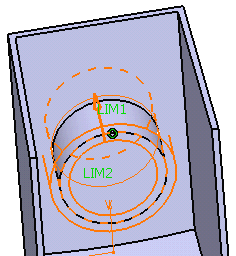
Select Sketch.3 as the profile you wish to extrude. If no profile is defined, clicking the Sketcher
 icon enables you to sketch the profile you need.
 -
In the Limits tab, enter 15mm to define First length and 20mm for Second length.
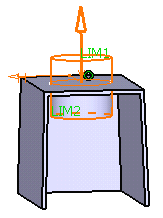
-
Optionally, set the parameters and options you wish to make the shape more complex as explained in Prism (or Sweep) page.
-
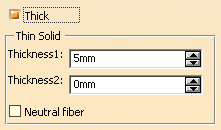
Check the Thick option that is available for the Prism, Sweep and Revolve shapes. This option enables you to add material to both sides of the profile.
-
Enter 7mm in the Thickness1 field. Thickness is added to the inside of the profile.
-
Clear the Neutral fiber checkbox, Enter 3mm in the Thickness2 field and click Preview. Thickness is added to the outside of the profile.
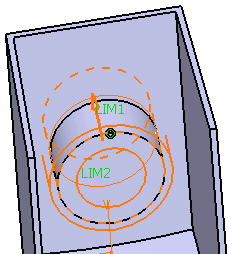
-
To add material equally to both sides of the profile, check Neutral fiber and click Preview to see the result.
-
Click OK to confirm and create the internal feature. Internal Prism.X is added to the specification tree in the Solid Functional Set.X node.
The Extend across removed faces option causes a feature not to be confined within the wall of the deleted face of the shelled volume. Refer to Extend across removed faces option.
Outside |
Inside |
|
|
|
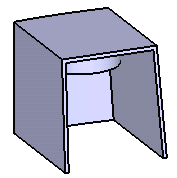
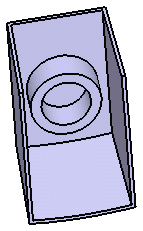
More about Intersection Fillet
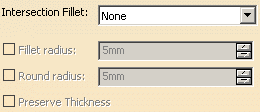
For the shape selected in the Shape definition area, you can apply an intersection fillet by selecting Intersection with Core option from the Intersection Fillet list available in Fillet tab.
In this case following three options are available:
- The Fillet radius option enables you to add material to the feature.
- The Round radius option enables you to remove material from the feature.
- The Preserve Thickness option enables you to keep the thickness applied on the part.
