
-
Select the Tools > Options command. The Options dialog box displays.
-
Choose the Mechanical Design category in the left-hand box, then Mold Tooling Design.
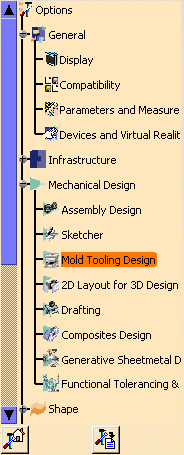
You will find the Mold Tooling Design options in the following tabs:
- Catalogs, that defines the storage location of catalogs,
- Add/Remove that defines the target bodies for drill holes, tap holes, pads and pockets,
- Component, that defines the components options,
- Miscellaneous, that defines the behavior of miscellaneous components,
- Split, that defines the type of split to apply,
-
Viewer Mapping, that defines the lists used in the
Tools Viewer.

-
Set options in these tabs according to your needs.
-
Click OK when done.