This task shows how to create dimensions and tolerances for chamfer using the Tolerancing Advisor.

For a general introduction of the Tolerancing Advisor, refer to Introducing the Tolerancing Advisor.

- Improve the highlight of the related geometry, see Highlighting of the Related Geometry for 3D Annotation.

-
Click Tolerancing Advisor
 in the Annotations toolbar.
 -
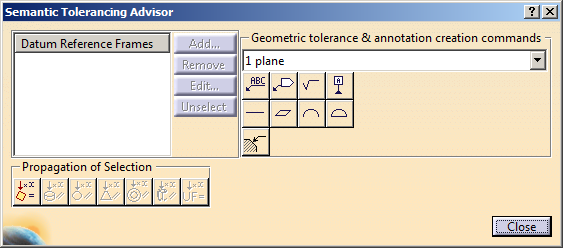
The Semantic Tolerancing Advisor dialog box appears.
-
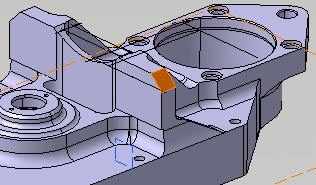
Select the surface as shown on the part.
-
The Semantic Tolerancing Advisor dialog box is updated according to the selected surface.
-
Click Chamfer Dimension
 .
.
The Limit of Size Definition dialog box is displayed.
-
The Chamfer Dimension
command is available for the following geometry
selection:
- a single face of a chamfer part design feature
- a conical face
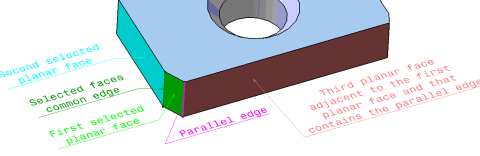
- two adjacent non-parallel and non-perpendicular
planar faces. Further, the first selected face
shares an edge with a third planar face, and this
edge is parallel to the edge shared by the two
selected faces.
- three faces of the following types:
- plane/plane/plane
- plane/cone/cone
- plane/cone/cylinder
- cylinder/cone/cylinder
For more information, see Remarks about chamfer dimensions.
- The tolerance options for chamfer are set in Tools > Options > Mechanical > Functional Tolerancing & Annotations, Tolerances tab, Chamfer Size area.
- The Value Format area allows you to
choose the chamfer display format:
- two distances on the same dimension line,
- a distance and an angle on the same dimension line,
- a single distance.
In all the cases, the chosen tolerance is applicable to the two dimensions that define the chamfer.
- The Representation Type area allows you
to choose how the chamfer dimension is attached to the
geometry:
- One Symbol: Attaches the chamfer dimension with a single extension line. By default, this option is selected.
- Two Symbols: Attaches the chamfer dimension with two extension lines.
- Swap Direction: Swaps the direction of the chamfer dimension. You can use this option only when Two Symbols representation type is selected.
- Swap Position: Swaps the position of the chamfer dimension.
-
The Chamfer Dimension
-
Enter the chamfer tolerance value and change the parameters if required.
-
Click OK in the dialog box.
The chamfer dimension is created. 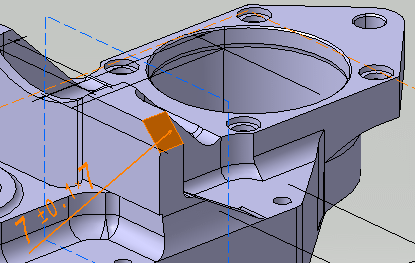
-
Click Close in Semantic Tolerancing Advisor dialog box.
|
|
You can swap the position only for the cone chamfer dimensions. |
- Right-click the chamfer dimension and select Properties.
- To edit the tolerance values, select the Tolerance
tab.
In the Tolerance tab, one more type of Value Format, Angle X Distance is available. Changing the dimension type to Angle X Distance is not persistent. On editing or during update of chamfer dimension, the format type is changed to previous Value Format. - To edit the values format values and representation, select the Chamfer tab.
- To edit the tolerance values, select the Tolerance
tab.
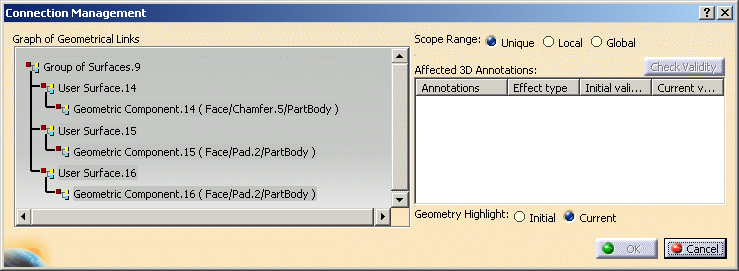
- Right-click the chamfer dimension and select Geometry
Connection Management. The Connection Management dialog
box displays the Group of Surfaces feature made up of three
user surface components. The first component is the chamfer face while
the other two components are the adjacent faces.