The task deals with:

Create a tolerancing capture with capture name A.
Naming a Tolerancing Capture

-
Select Insert > Capture > Capture
 .
.The Capture Creation dialog box appears. 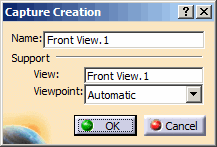
-
Enter the name of the capture as A.
The given name is checked with the naming uniquness rules set in Tools > Options > Mechanical Design > Functional Tolerancing & Annotation, Administration tab, Naming Uniqueness field. Select Ensure uniqueness of capture names check box in Naming Uniqueness section, see Administration.
Depending on this option, captures with the same name are not created but renamed to another name. -
Click OK in the Capture Creation dialog box.
Because the entered capture name is not in accordance with the naming rule, it is automatically changed to a valid value. That is it is indexed so that it is not in conflict with other names. Additionally, a message appears informing that the name has been changed because it was in conflict with the naming rules defined in your administration options.
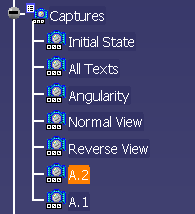
The capture is renamed to A.1 and added to the specification tree.
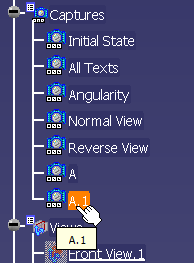

Case sensitivity in capture names is considered only when creating captures.
Renaming a Tolerancing Capture
-
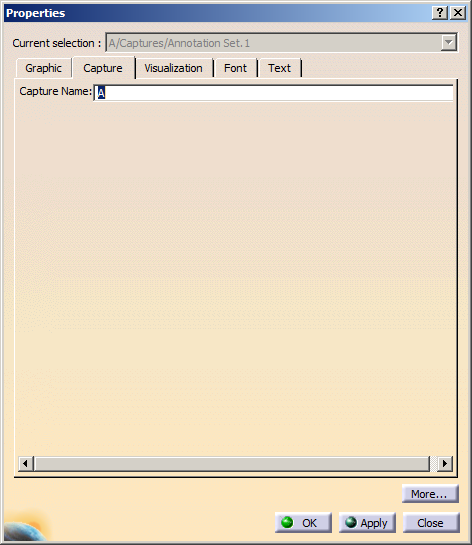
Right-click the capture in the specification tree and select Properties, Capture tab, Capture Name field to rename the capture.
-
Rename the capture A in the specification tree to capture A.1.
The name given is checked with the renaming rules set in Tools > Options > Mechanical Design > Functional Tolerancing & Annotation, Administration tab, Naming Uniqueness field.
Depending on this option, the capture with the same name is not created but renamed to another name. -
Click OK in the Properties dialog box.
Because the entered capture name is not in accordance with the naming rule, it is automatically changed to a valid value. That is it is indexed so that it is not in conflict with other names. Additionally, a message appears informing that the name has been changed because it was in conflict with the naming rules defined in your administration options.
The capture is renamed to A.2 and added to the specification tree.