
| This section describes the various icons available in the Electrical 3D
Design Assembly workbench. The toolbars are located on the right in the default set-up except for the Catalog Browser, which is located in the horizontal bottom toolbar.
Electrical Device Definition Toolbar |
 |
Define Equipment See Defining an Equipment |
 |
Define Connector See Defining a Connector |
 |
Connect Electrical Devices See Connecting Devices |
 |
Disconnect Electrical Devices See Disconnecting Devices |
 |
Define Termination See Defining a Termination |
 |
Define Cavity See Defining a Cavity |
 |
Define Bundle Connection Point See Defining a Bundle Connection Point |
 |
Define Connector Connection Point See Defining a Connector Connection Point |
 |
Define Cavity Connection Point See Defining a Cavity Connection Point |
 |
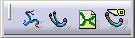
Geometrical Bundle See Creating a Geometrical Bundle |
 |
Multi-Branchable Document See Defining Bundle Segments |
 |
New Bundle See Creating an Electrical Bundle |
 |
Split See Splitting Bundle Segments |
 |
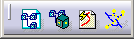
Select External Systems See Selecting External Systems |
 |
Manage Links See Managing Links |
 |
Automatic Wire Routing See Routing Wires from External Data |
 |
Routing Simulation See Simulating the Routing |

 |
Harness Flattening Parameters See Defining the Harness Flattening Parameters |
 |
Extract See Extracting Data |
 |
Flatten See Flattening the Harness |
 |
Rotate See Rotating Bundle Segments |
 |
Scale See Scaling Bundle Segments |
 |
Synchronize See Synchronizing the Environment |

 |
Catalog Browser See Using a Catalog, Using Catalogs |
 |
Smart Place See Using Smart Placement from Catalog |

 |
Related Objects See Viewing Related Objects |