
This type of customization deals with permanent setting customization: these settings will not be lost if you end your session.

-
Select the Tools > Options command. The Options dialog box is displayed.
-
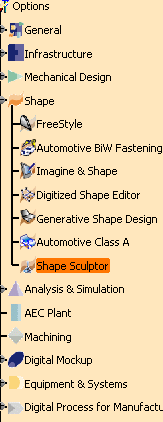
Choose the Shape category in the left-hand box, then Shape Sculptor.
- General defines the Command Behavior and Warn Start,
- Display Modes that defines display modes for clouds of points,
- Parameters (described in Shape Sculptor) lets you define the curve sampling option.
-
Set options in these tabs according to your needs.
-
Click Apply and OK to validate and exit the dialog box.
|
|
