|
|
This symmetry is determined by the cells coverage of the virtual plies,
symbolized by three zones:
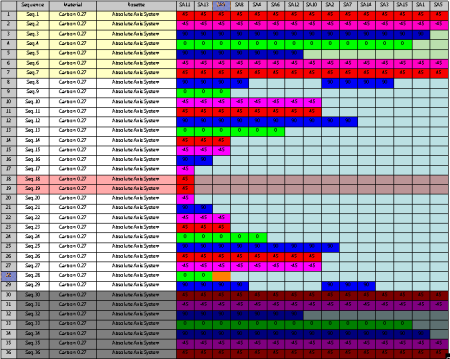
- Upper zone: that is the
work zone at the top of the
table, colored in yellow.
- Lower zone: that is the
mirror zone, at the bottom
of the table, colored in
grey.
Results are duplicated to
this zone.
You cannot make selections
in that zone.
- Neutral zone: the zone
in the middle of the table,
that contains the rest of
the virtual
(non-symmetrical) plies.
You work in that zone as you
would in a non-lock symmetry
context.
|
|


