Important: You must have already generated the Pin Jig resource data. If you have not done so, you will not be able to extract Pin Jig workshop documents.

-
Click Workshop Documents Extraction
 .
.
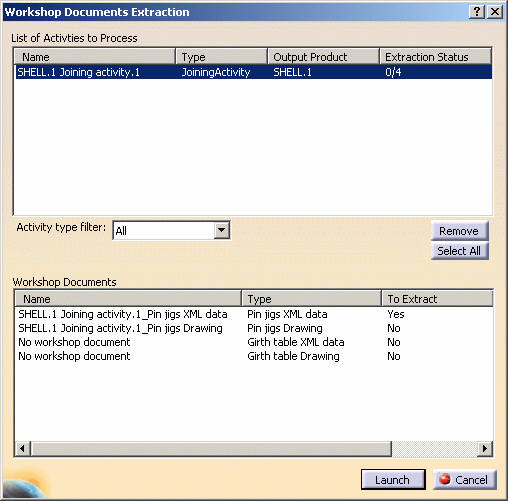
The Workshop Documents Extraction dialog box appears. -
Select the SHELL.1 Joining activity in the PPR tree.
Note that two different type of workshop documents can be extracted for Pin Jigs:
- XML data file
- resource sketch.
-
Click the To Extract column to indicate whether or not you want to extract the associated document:
Clicking in this column switches the value from Yes to No and vice-versa.
Set to Yes for Pin jigs XML data only. -
Click Launch when done.
Requested workshop document is generated and saved in the location identified in the Project Resource Management (PRM) file. -
Open the XML file at the save location using File > Open
(for example,C:\Temp\SHELL.1 Joining activity.1_Pin jigs XML data.xml).
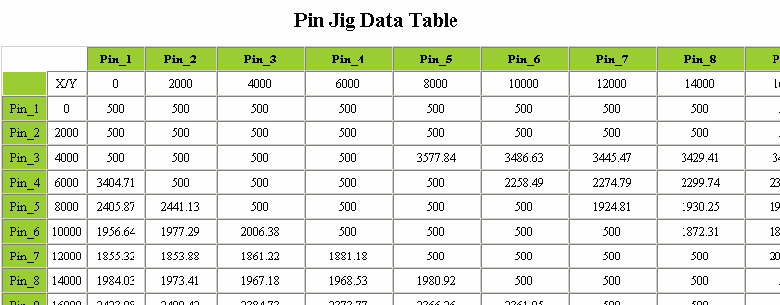
Example:
Here is an extract from a typical pin jig XML data file: