
Important: You must have already generated a Templates set in the activity (see Detailing Plate Forming Activities). Otherwise, you will not be able to extract workshop documents and a warning message will be issued.

-
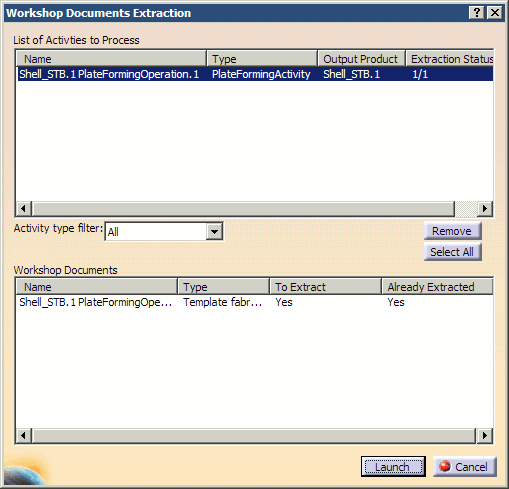
Click Workshop Documents Extraction
 .
. -
In the PPR tree, select the plate forming activity for the plate for which you want to generate a template sketch.
-
Select the activity. The associated workshop document is proposed.
-
Click Launch when done.
-
In the Summary Panel that appears, click No to exit if the extraction was successful and Yes to see traces if needed.
-
Open the generated workshop document.
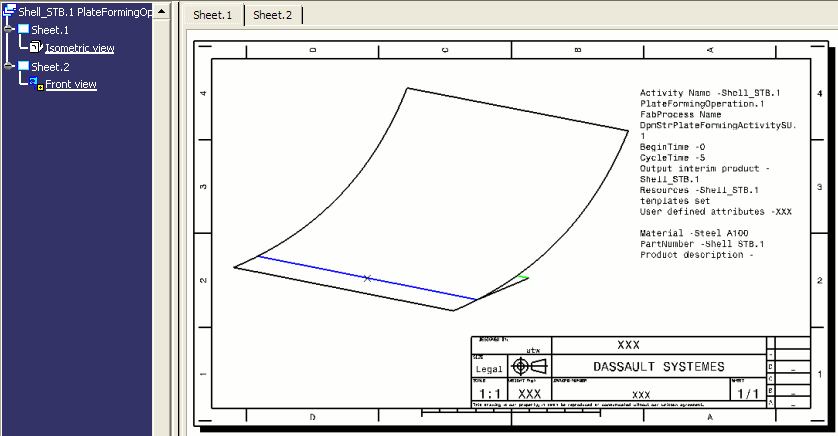
In this example, one template was created for the shell plate. The corresponding workshop document contains two sheets: - The first sheet shows the isometric view of templates on the curved plate. This sheet has the same viewpoint as the 3D model. If the user changes the viewpoint, for example, rotates the model, then generates the drawing again, the isometric view on the first sheet will be updated to reflect the viewpoint of the 3D model.
- Sheet 2 shows a template sketch.
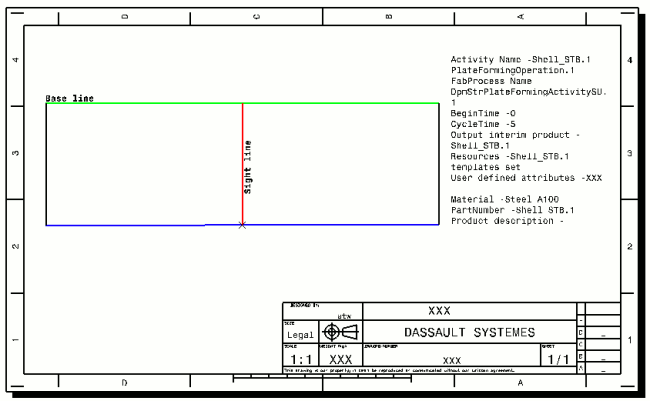
The extracted workshop document is based on the drawing template which contains one sheet with the frame and title block. -
When done, save the CATProcess.
