
This task shows you how to specify the number of roll lines that mark the plate to be formed.

-
Specify the number of roll lines needed: enter 3 for this example.

-
Specify on which side the plate will be marked (Forming side up): molded or thick side.
By default, it is the molded side that is marked. The corresponding surface is highlighted in the geometry area for easier identification.
-
Specify the position of the neutral axis:
The neutral axis is an imaginary line (in red on the dialog box image) that defines the surface taken into account for the flattened surface. It is positioned with respect to the molded surface (orange vector indicates direction of extrusion) and is typically located at half the plate thickness. The position is defined on a scale from 0 to 1.

Leave a value of 0.5 for the neutral axis position. You will be able to re-iterate with different values later in the scenario and view the results on the IPM part.
-
Click Preview to see a preview of the flat with the specified number of roll lines.
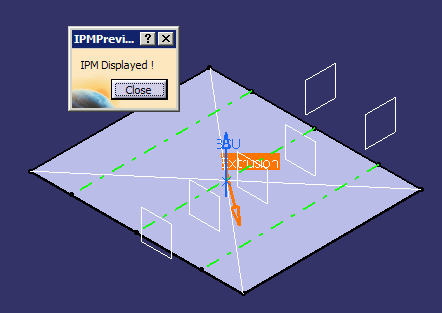
Click Close in the IPM Preview dialog box to return to the Plate Forming dialog box.
You are now ready to check distortion.
