

- You must have already run
Build Activity List
 for the Deck01_1.CATProduct.
 -
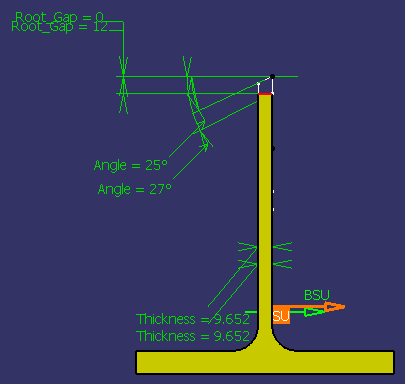
Enable the Parameters of features and constraints option located in Tools > Options > Part Infrastructure > Display to view the constraints in the preview pane.

-
Select the Joining Operation command
 .
. -
Select Deck01_1 in the ProductList.
The Joining Operation dialog box appears. 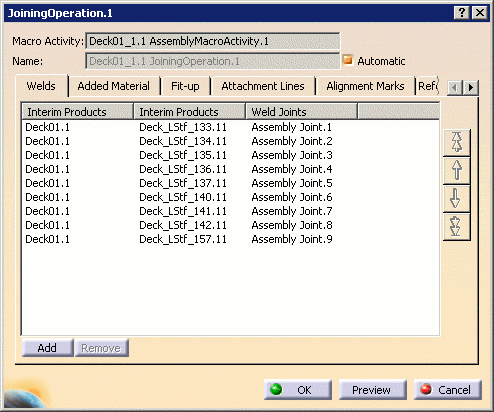
-
Select the Edge Preparations tab.
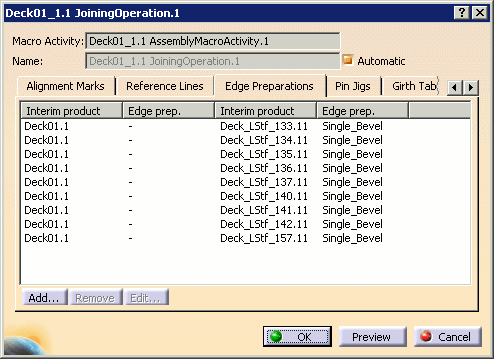
By default, all of the edge preparations will be listed. If they are not (in the case that some have already been removed), click Add and select the desired interim products as described in Adding Material.
-
Click Edit... to specify the desired edge preparation.
The following dialog box appears to let you choose the edge preparation type.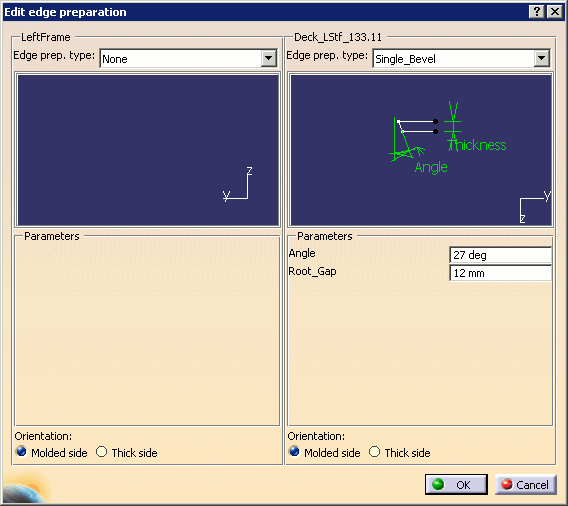
Note: The Edit edge preparation panel shows two frames when editing edge preparations for a pair of interim products (such as two plates, two profiles, or one plate and one profile). The two frames are similar, each frame showing the edge preparation definition for each interim product. In case of edge preparation on a single free edge or a T-weld, only one frame is displayed.
Note: Ensure that the Parameters of features and constraints option located in Tools > Options > Part Infrastructure > Display is enabled to view the constraints in the preview pane.

-
Select the edge preparation type using the combo list.
If the desired type is not available in the list, select Other edge preps to open the Catalog Browser.
See Selecting Edge Preparations Using the Catalog Browser for more information.
You can modify the parameters of the selected edge preparation and modify the orientation.
Click OK to update the Edge Preparations tab with the selection.
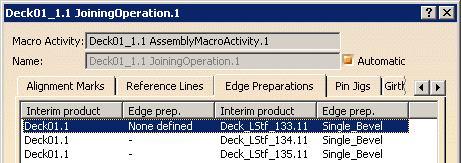
-
Click OK when editing of the joining operation is complete, or click Cancel to cancel any changes that were made and dismiss the dialog box.

Selecting Edge Preparations Using the Catalog Browser
A catalog of edge preparations is referenced in PRM (see Managing Project Resources).
If you select Other edge preps in the Edit Edge Preparation dialog box, the Catalog Browser opens.
-
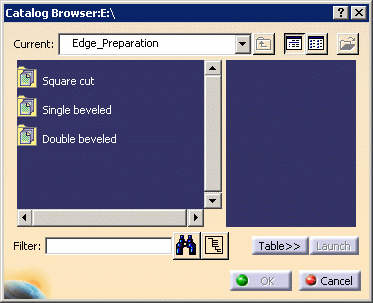
Navigate to the edge preparation catalog (this should be displayed by default).
-
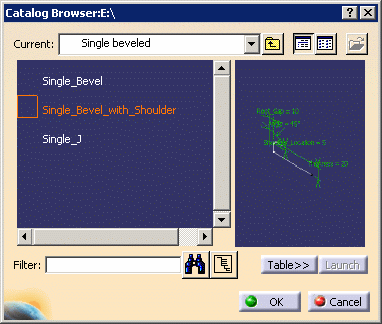
Select the desired edge preparation among those proposed.
-
Click OK to accept your selection and return to the Edge Preparations tab in the Joining Operation dialog box.
