The Properties dialog box for clouds of points and meshes appears when you select Properties from a menu. It enables you to see specific attributes of the data and to change some of them.
The following topics are discussed:
Mechanical
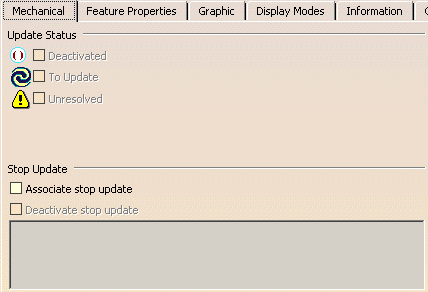
The Mechanical tab displays the update settings for the data. The Update Status information is determined by the data selected; the Stop Update options can be modified from this tab.
- Update Status
- If the data is set up to report its update status, you can select
among three options to mark the update status on the specification tree
with the icons shown to the left of each check box:
- Deactivated
- To Update
- Unresolved
- Stop Update
- If the data is set up to report its update status, you can select to associate a stop update condition. Once you have selected Associate stop update, you can also define the conditions under which the Stop Update is deactivated.

Feature Properties
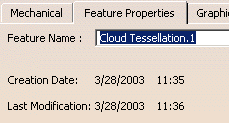
The Feature Properties tab displays the naming and modification information about the selected item. You can change the name of the item using this tab.
- Feature Name
- You can enter a new name and the change appears in the specification tree when you click OK.
- Creation Date and Last Modification
- These data are recorded by the software.
Graphic
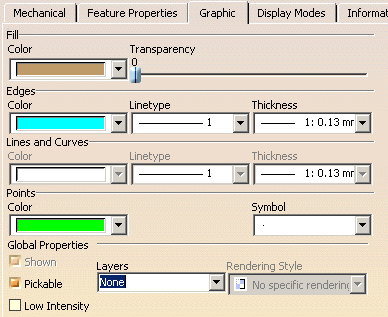
The Graphic tab both displays and allows you to modify the graphic properties of the selected item.
For a description of the graphic properties, see the Infrastructure User's Guide.
Display Modes
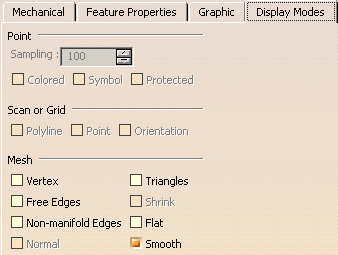
The Display Modes tab allows you to modify the display modes for the selected data. You can also modify display modes for new data by selecting the Display Modes tab in Tools > Options.
For a description of how to use this tab to set the options, see Applying Display Modes.
Information
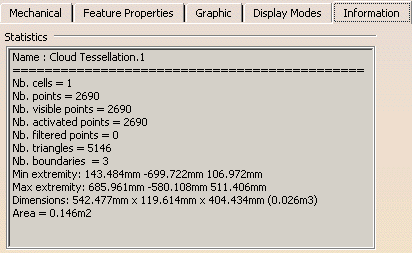
The Information tab provides you with statistics about the selected data. Depending on your license, you can also access this information using the Information command.
For a description of the options, see Displaying Information.
Cells
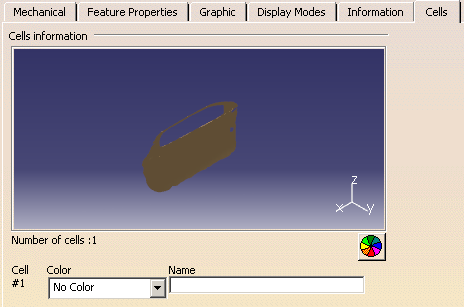
The Cells tab enables you to set color and name attributes for cells within the data.
For a description of the options, see Modifying Cell Properties.

- You can undo all property changes by right-clicking the data in the specifications tree, selecting Object_Name object > Reset Properties.
- You can access the Cells tab by right-clicking a cell in the standard viewer and selecting Properties.