 |
By using Check assignment of child parts the child parts of the selected product node can be displayed in the dialog List Associated Activities regardless of whether the parts are linked to a process. In addition you can display Engineering Intents that are linked to processes with the relation Process Implements Requirement. See Displaying child parts in the dialog List Associated Activities. In the dialog Tools > PPR Tools > Part Consumption you can set the relations that are to be checked; you can also activate the option Check assignment of child parts, if the children of the selected product node should be checked and displayed. |
|
|
Part Consumption |
|
Set the options before starting the session. Assignment of child parts is deactivated in the standard configuration.
Example: Products – parent node linked with process. 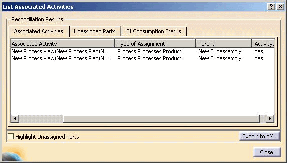
With the two arrows  you can
assign relations to the two windows Available Relations and Relations to check. you can
assign relations to the two windows Available Relations and Relations to check.
|
|
 |
Engineering Intents are displayed only if they are linked to a process with the relation Process Implements Requirement. |

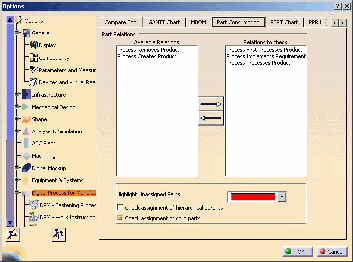
 in
order to assign the relation to the window Relations to check.
in
order to assign the relation to the window Relations to check.