


-
From the specification tree (under Materials used), select the material.
-
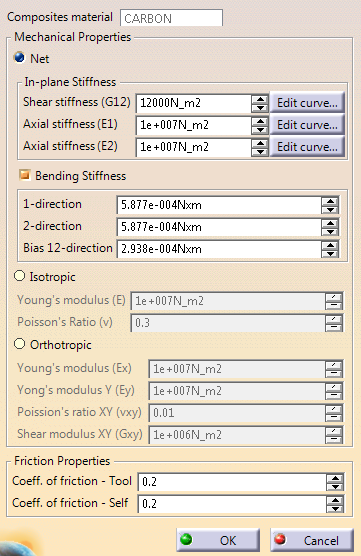
Specify the material model (Net, Isotropic or Orthotropic).
See About Forming Simulations for more information. -
Enter mechanical properties and friction values.
Coeff. of friction - Tool is meant for sliding along the tool surface.
Coeff. of friction - Self is meant for sliding against itself or other materials. -
To enter strain-dependent information, click Edit curve...
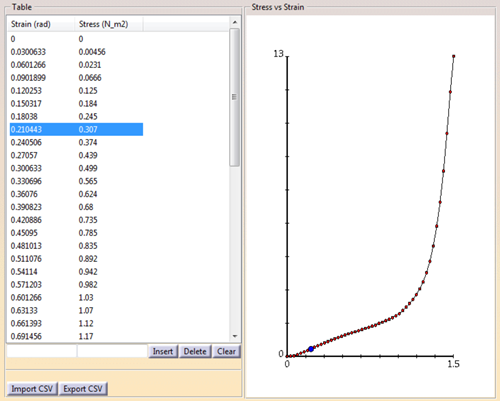
Either enter values in the fields at the bottom of the table and click Insert,
or import a CSV file containing strain in the first column and related stress in the second.
Select a row in the table to highlight value pairs.
Add, delete or modify value pairs as necessary. -
Enter required information and validate.
Forming properties are added under the material as Forming Material Data.
 .
.
