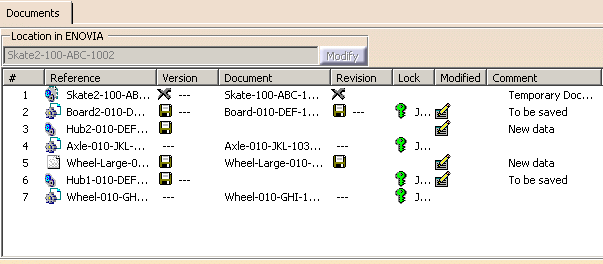
To save the modified objects in the VPDM, in the ENOVIA V5 toolbar, click the Save in Enovia . The documents loaded in CATIA are saved in the ENOVIA V5 database and the requested modifications are applied.
The frozen status of Part is determined from the lock and maturity status. The status reported in VPM Navigator Save dialog box matches with the frozen status. A warning message is displayed, if the updation of entity is not allowed by the frozen status. Note: Throughout the reconcile session, the frozen status is computed once during mapping. You must re-run the query and mapping, to get the refreshed information. The following table summarizes the status of Part, when you apply Reconciliator rule on Part version for Structure Exposed mode or on Document Revision for Publication Exposed mode in ENOVIA V5 VPM:

 .
.