
This task shows how to create fill surfaces between a number of boundary segments.

Open the Fill1.CATPart document.

-
Click Fill
 .
.The Fill Surface Definition dialog box appears. -
Select curves or surface edges to form a closed boundary.
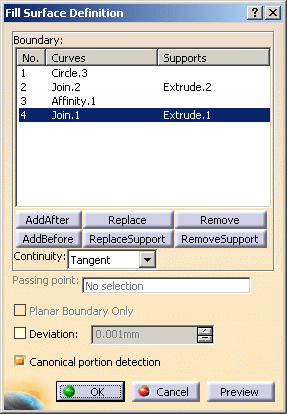
You can select a support surface for each curve or edge. In this case continuity will be assured between the fill surface and selected support surfaces. -
Use the combo to specify the desired continuity type between any selected support surfaces and the fill surface:Point or Tangent.
The fill surface is displayed within the boundary. 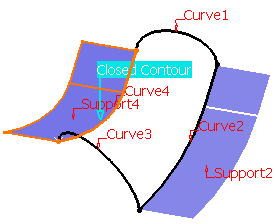
-
You can edit the boundary by first selecting an element in the dialog box list then choosing a button to either:
-
Add a new element after or before the selected one
-
Remove the selected element
-
Replace the selected element by another curve
-
Replace the selected support element by another support surface
-
Remove the selected support element.
-
-
Select the Deviation check box, and enter a value to fill the gaps present.

In the Tools > Options > Shape > Generative Shape Design > General tab, - If the Continuity Type is either Tangency or Curvature, the Deviation check box is selected by default.
- The Maximum deviation value is taken as the deviation value for the fill.

- If the gap between the two contours is greater than the maximum deviation, the gap is not filled, and the resulting surface still displays a gap.
-
Click OK to create the fill surface.
The surface (identified as Fill.xxx) is added to the specification tree. 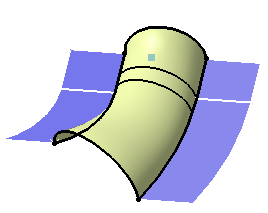
Filling surface with specified supports
Detecting the Canonical Portion
The Canonical portion detection check box
automatically computes the planar and cylindrical surfaces information,
if they exist in the fill surface.
By default, this option is selected.
Particular Cases
-
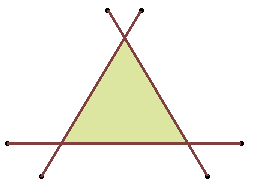
The selected curves or surfaces edges can intersect. Therefore a relimitation of the intersecting boundaries is performed to allow the creation of the fill surface.
-
The selected curves or surface edges can have non-coincident boundaries. Therefore, an extrapolation is performed to allow the creation of the fill surface.
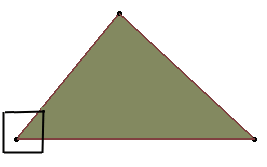
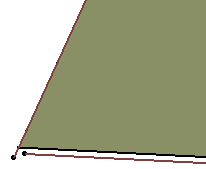
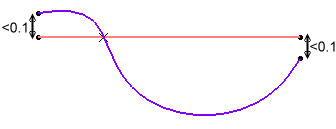
- A two-side fill surface cannot be created in the following ambiguous
cases:
- one intersection and two distances below 0.1 mm
- no true intersection (therefore there may be several distances
below 0.1 mm)
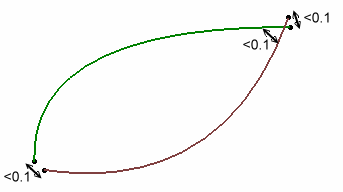
- one intersection and two distances below 0.1 mm
