
|
This task shows you how to
distribute elements within parameters that you define.
|
 |
1. |
Select the elements you want to move. |
|
2. |
Click the Distribute
button  . . |
|
3. |
Define a reference plane for the
distribution by doing the following: |
|
|
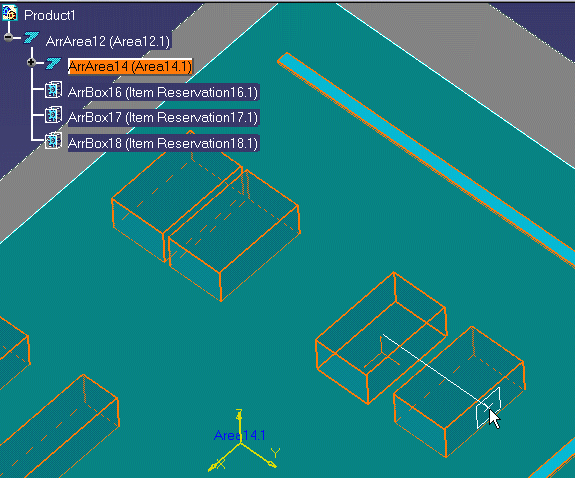
a. Place your cursor over a geometric element that defines the plane
(e.g., a construction plane, boundary, area contour, item reservation).
As you move the cursor, a small white rectangle is displayed to show
the selectable planes, as shown below. A line perpendicular to the
rectangle shows the direction in which the distribution will be
performed.
|
|
|
|
|
|
b. Click to select the plane.
|
|
|
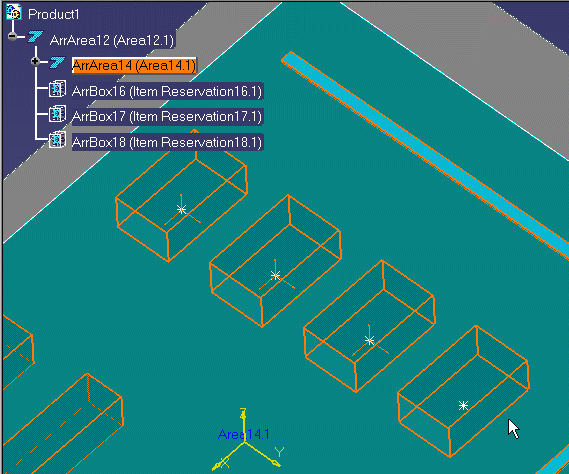
The selected elements are distributed along a line perpendicular to
the plane, as shown below.
|
|
|
|
|
 |