Defining New Attributes for CATIA Product in the Data Model Designer
The following three new attributes must be defined:

SMT_GENERIC_NAME (CHAR 128)
-
Launch the SmarTeam Data Model Designer utility.
-
From the File menu, select Modify Database Structure
-
Select your database.
-
Create the SMT_GENERIC_NAME new attribute for the “CATIA Product” class.
Note that CN_ is automatically added.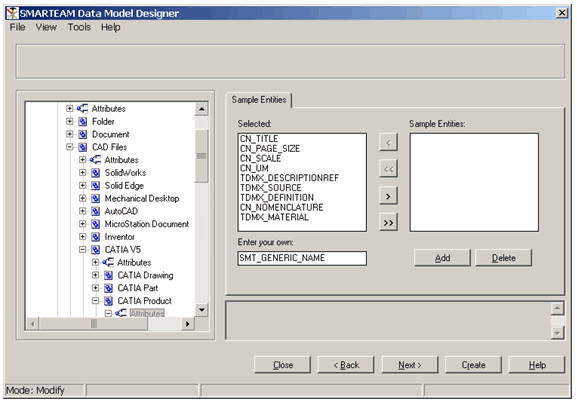
-
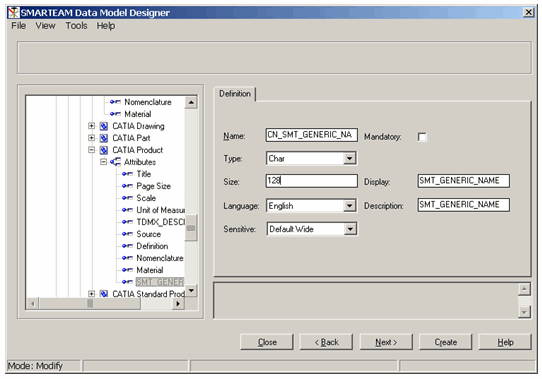
Modify the attribute definition as follows: set Type as Char and size as 128.
SMT_VARIANT_NAME (memo)
-
Launch the SmarTeam Data Model Designer tool.
-
From the File menu, select Modify Database Structure.
-
Select your database.
-
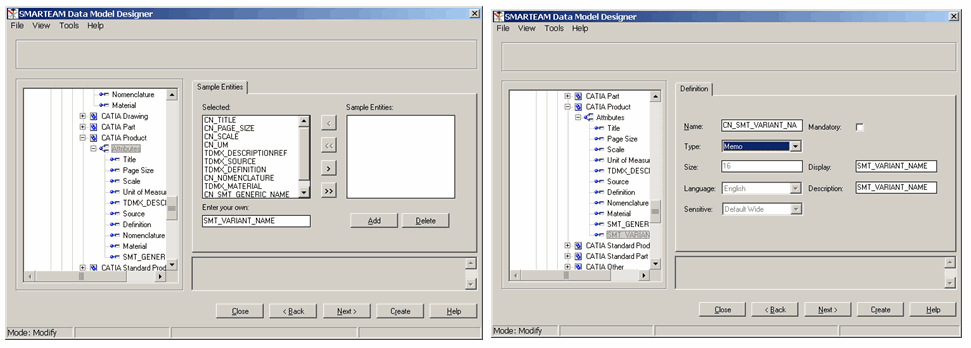
Create the SMT_VARIANT_NAME new attribute for the "CATIA Product” class.
Note that CN_ is automatically added.
-
Modify the attribute definition as follows: set type as Memo.
SMT_VARIANT_COMMENT(memo)
1. Same as SMT_VARIANT_NAME.
2. Save the modification in the database.
Increasing the size of CATIA Product CN_PartNumber
-
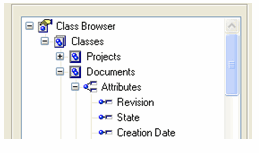
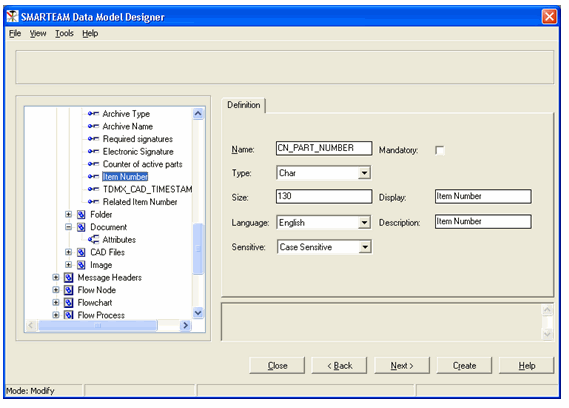
Select <Classes><Documents><Attributes> <Item Number>.
-
Change the size to 130.
Mapping between CATIA and SMARTEAM in “Smarteam Tools Setup”
Launch the Integration Tools Setup utility.
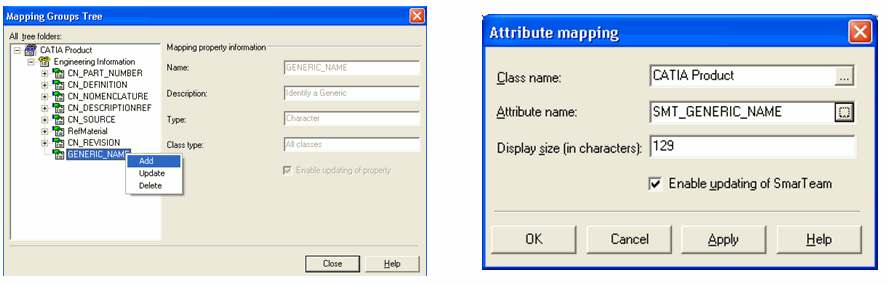
Map SMT_GENERIC_NAME to GENERIC_NAME
-
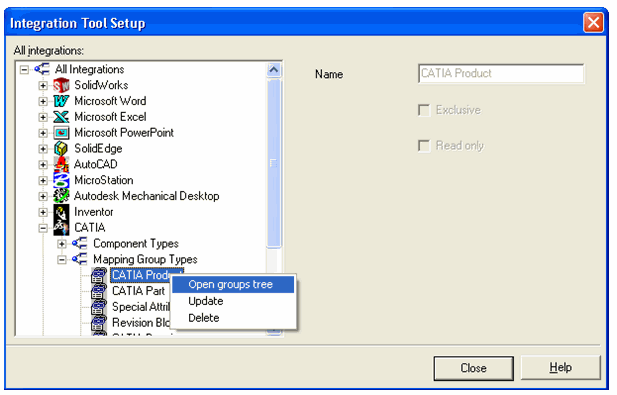
Open the CATIA Product group tree.
-
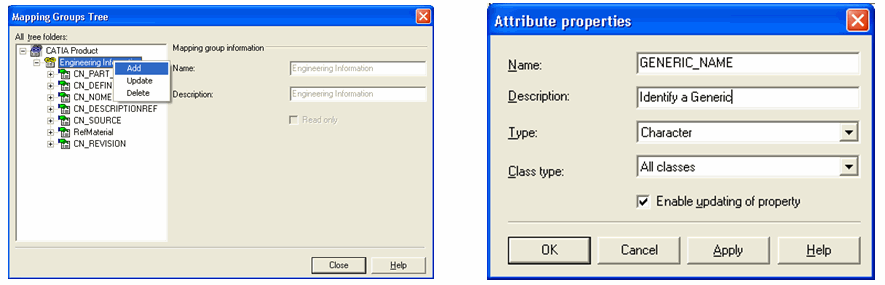
Create a new attribute GENERIC_NAME
-
Map this attribute with a SmarTeam Attribute:
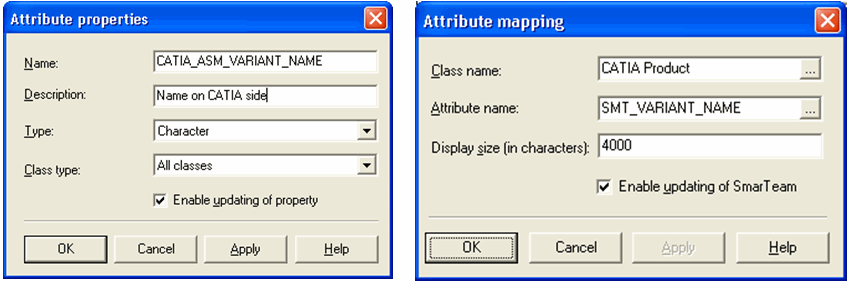
SMT_VARIANT_NAME mapped to CATIA_ASM_VARIANT_NAME
Add a new CATIA
Attribute called CATIA_ASM_VARIANT_NAME and map it to
SMT_VARIANT_NAME.
Set Display size to 4000.
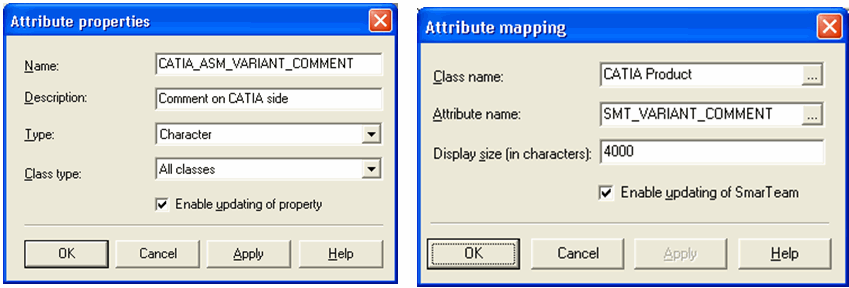
SMT_VARIANT_COMMENT mapped to CATIA_ASM_VARIANT_COMMENT
Add a new CATIA
Attribute called CATIA_ASM_VARIANT_COMMENT and map it to
SMT_VARIANT_COMMENT.
Set Display size to 4000.