

-
Select Start > Settings > Control Panel.
-
From the Control Panel dialog box , double-click System.
-
From the System Properties dialog box that appears, double-click System.
-
Click the Advanced tab.
-
Click the Environment Variables... button.
The Environment Variables dialog box is displayed.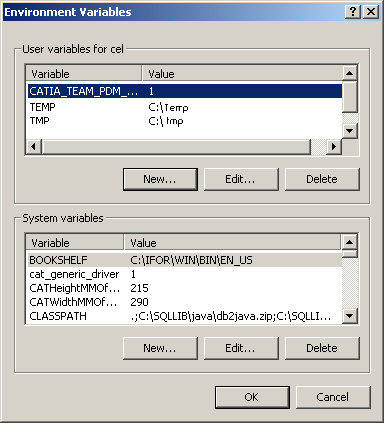
The following variable can be set in the Environment Variables of a user's workstation
- CATIA_TEAM_PDM_DRLINK = DrOnly/ShOnly
Specifies how links are exposed in SmarTeam.
If you do not use this variable, this is the default display: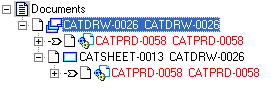
-
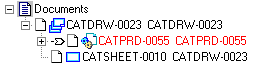
DrOnly: The links are exposed only at the document (CATIA Drawing) level.
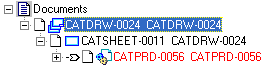
- ShOnly: The links are only at the sheet level
For more information, see Document Associations and Links. -
- CATIA_TEAM_PDM_DRLINK = DrOnly/ShOnly
