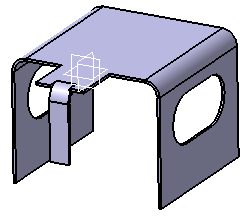
In this task, you will learn how to create bends between walls.

-
Click Bend
 .
The Bend Definition dialog box is displayed.
.
The Bend Definition dialog box is displayed.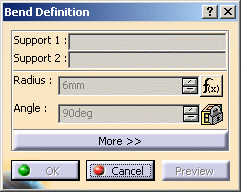
-
Select Wall.1 as Support 1 and Wall on Edge.1/Face.1 as Support 2 in the specification tree or in the geometry area.
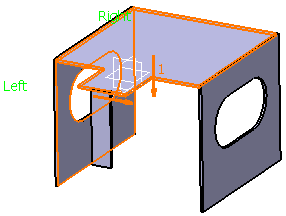
-
Click OK. The bend is created.
-
Repeat steps 1 to 3, this time selecting Wall.1 as Support 1 and Wall on Edge.2/Face.2 as Support 2. The second bend is created.
-
Repeat steps 1 to 3, this time selecting Wall.1 as Support 1 and Wall on Edge.3/Face.3 as Support 2. The third bend is created.
The bend features are displayed in the specification tree: Cylindrical Bend.1, Cylindrical Bend.2 and Cylindrical Bend.3. 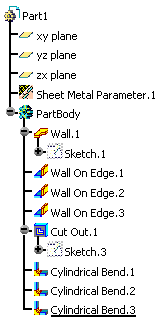
The sheet metal part looks like this: