
This task shows how to create the first wall of the Generative Sheetmetal Part.

-
Click Sketcher
 then select the xy plane in the specification tree.
 -
Select Profile
 .
. -
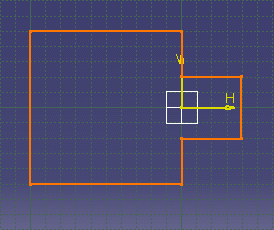
Sketch the profile as shown below:
-
Click Exit workbench
 to return to the 3D world.
The sketch remains selected. -
Click Wall
 .
.The Wall Definition dialog box opens. 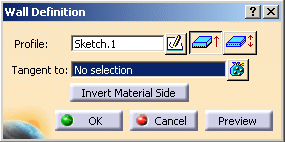

By default, the Material Side is set to the top. You can define the wall sketch at the middle of the thickness by clicking Sketch at middle position. When the profile is located at the middle thickness, the Invert material side button is disabled.
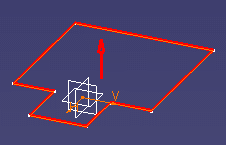
-
Click OK.
The Wall.1 feature is added in the specification tree. 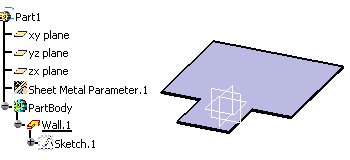
The first wall of the Generative Sheetmetal Part is known as the reference wall.
