CGR
DocumentsCGR
Documents
CGR
DocumentsCGR
Documents
 |
SMARTEAM CATIA Supply Chain Engineering Exchange supports the
reconciliation of CGR documents. It is possible to reconcile CGR
document as a single document, as the document is associated as an
alternate representation or as default 3D representation of an assembly
node in CATIA. If a CGR is used as master representation of a CATProduct node, the reconciliation of CATProduct node and the one of the CGR document is linked. |
 |
Standard Reconciliation rules for Product or Part are applicable to CGR documents (such as New, Overwrite, Reload, Keep as External). Note: If an assembly containing CGR is reconciled, the supplier CGR will be mapped to its parent Product in SmarTeam. For example, if we perform a reconciliation on the Supplier's assembly structure(Product 1), the Product1 is mapped to Product1 in SmarTeam. If, Part1.cgr have two query results, it will be mapped with the Part1.cgr, a child of Product1. |
|
|
|
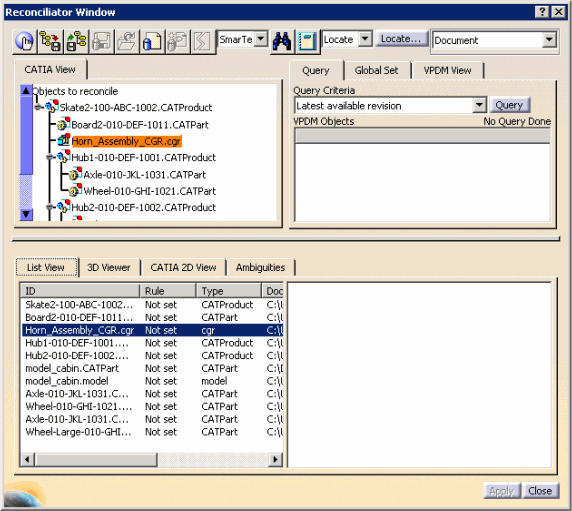
 for
reconciliation in the Reconciliator Window dialog box just like CATShape or CATIA V4 model
documents.
for
reconciliation in the Reconciliator Window dialog box just like CATShape or CATIA V4 model
documents.