|
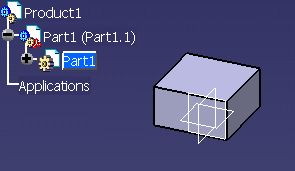
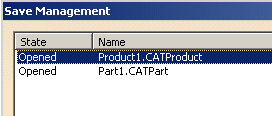
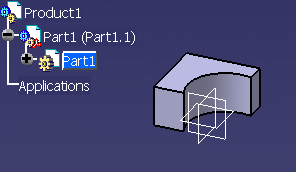
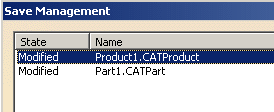
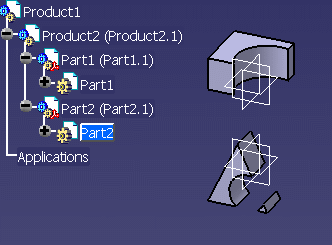
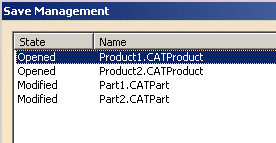
This behavior allows you to save time while saving your
modifications because the "parent" elements are not impacted by the
changes made on the Part. Only Part1 and Part2 need to be saved.
The documents can be saved one after the other and independently. It means
that you can save only Part1 or Part2, if you want.
Moreover, if the user does not have write permission on Product1 and 2, he
still can modify Part1 and Part2. |
| |
 |
| |
Moving Elements in the Assembly with the Compass
|
 |
-
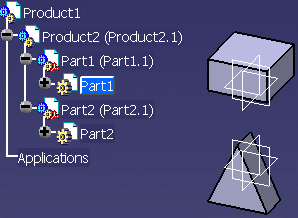
Open a CATProduct with this arborescence:
-
Set Product2 as UI active.
-
Move Part1 with the compass.
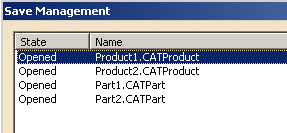
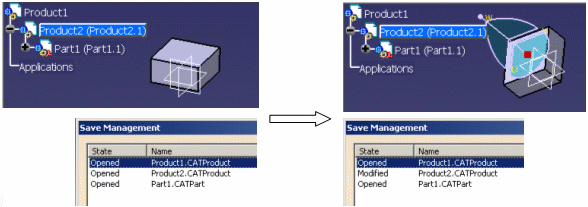
Before any modification: all components
are "opened". Product2 is UI active. |
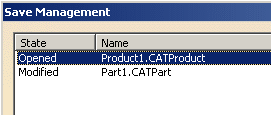
After moving the CATPart: only Product2 is seen as
"modified" in the Save Management window. |
|
|
|
Product2 is seen as "modified" because Part1 is moved
according to the context of Product2.
The behavior allows you to save time while saving your modifications
because the "parent" elements are not impacted by the changes made on
Product2. Only Product2 needs to be saved.
Moreover, if you do not have written permission on Product1, you still
can modify Product2. |
 |
The common behavior is: the information (edition) is not
moved to the upper levels. It means that the modification is limited to
the Part's level. But there are particular cases when the
information is propagated to the upper levels when the UI activated object
is changed (Product2 instead of Part1 for instance). There is an upward
propagation of the "modified" status (from the "son" to the "parent"
product). These upward propagation are required to synchronize parent
level information for its instances in top level Product (for example
constraint created at product level).
For instance: if the modified geometry of a CATPart remains non-updated,
the edition information will be propagated to the newly selected object
(in the upper levels). |
|
|