|
A set of icons that provide Knowledgeware functionalities is located at the bottom
of the DELMIA window frame. To add new parameters and create formulas with these tools, a single command can be used:
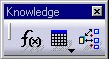
The f(x) function can also be found in the Knowledgeware toolbar:
|
|
 |
1. |
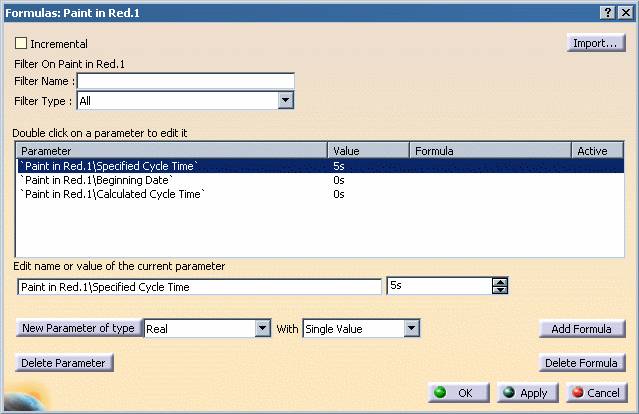
Clicking on the f(x) icon and selecting an operation will display the Formulas panel for the currently selected activity:
|
|
2. |
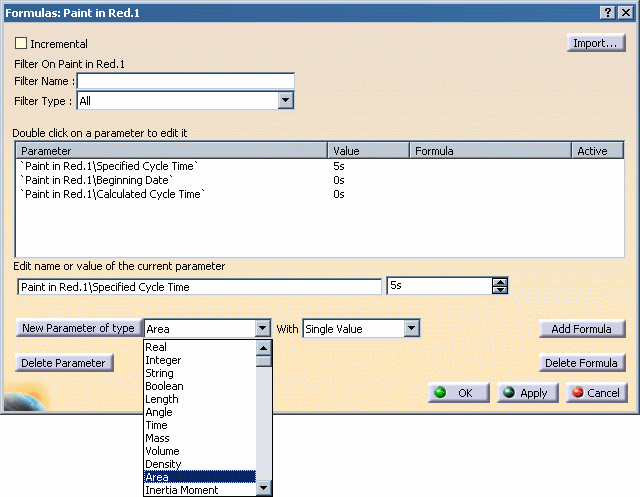
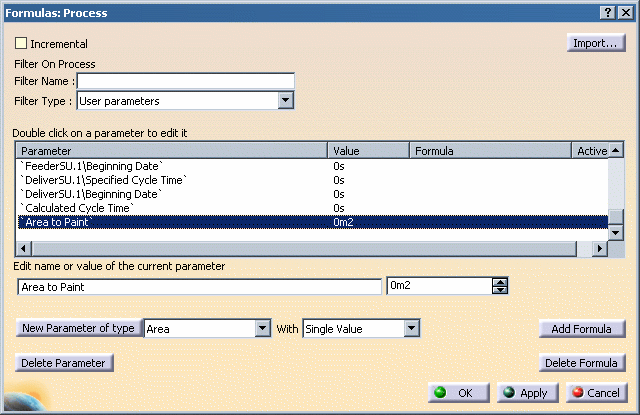
Using the New Parameter of type list selection box (above), new parameters can be created with additional semantics. For example, the area to paint can be specified in the following manner:
After the type of parameter has been selected, clicking the " New Parameter of type" button will create it for that specific activity. |
|
| 3. |
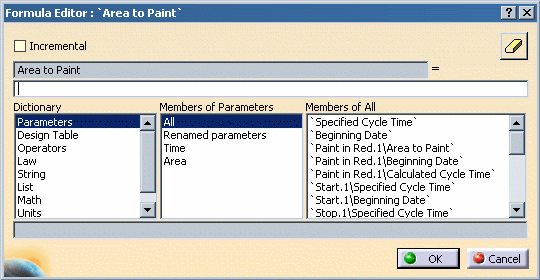
Rules or formulas can then be created using this particular parameter (and others). Clicking the Add Formula button opens the Formula Editor for the selected parameter:
|
|
| 4. |
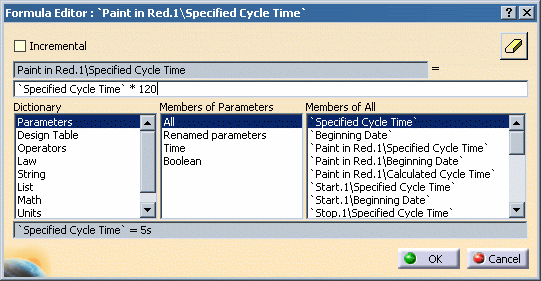
In this example, a formula is defined (`Specified Cycle Time` * 120) in which the Area To Paint is a function of the Specified Cycle Time defined for the activity:
When defining the formula, parameter names (such as `Specified Cycle Time` above) may be automatically inserted into the formula by double-clicking its name in the Members of All list. |
|
| 5. |
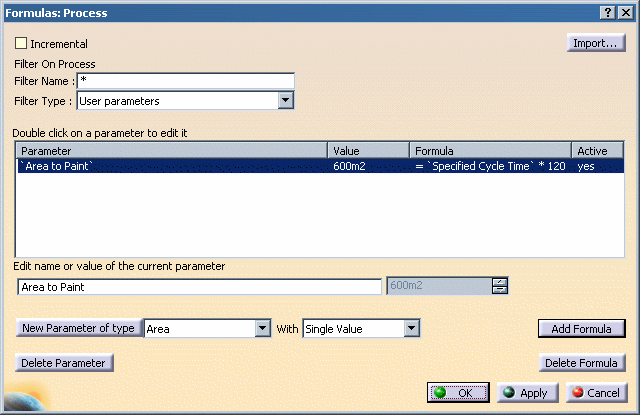
The resulting formula is then shown as follows:
The value produced by the formula will automatically change if the Specified Cycle Time on the activity is modified. |
|