|
DPM Process and Resource Definition allows for existing activities to be copied from
one process document and pasted into another, and provides a number of options for doing so.
Using the default behavior, only the activities themselves are copied: any items or resources assigned to the copied activities are not copied into the other process document. All defined attributes of the copied activities are also present when pasted into another process document. The following sections describe both: |
|
 |
|
|
 |
|
|
 |
Copying activities without associated data (default) |
|
|
1. |
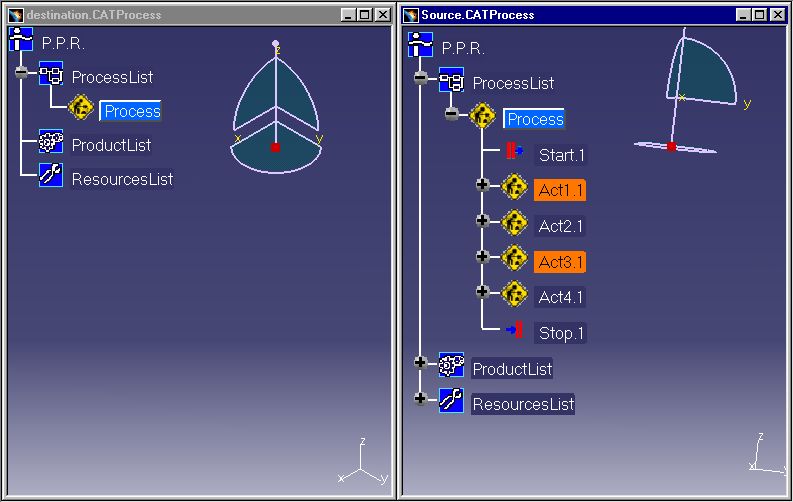
Select as many activities as desired in the source process document to copy. Hold down the CTRL
key to select multiple activities to copy:
|
|
|
2. |
Copy the selected activities by either:
|
|
|
3. |
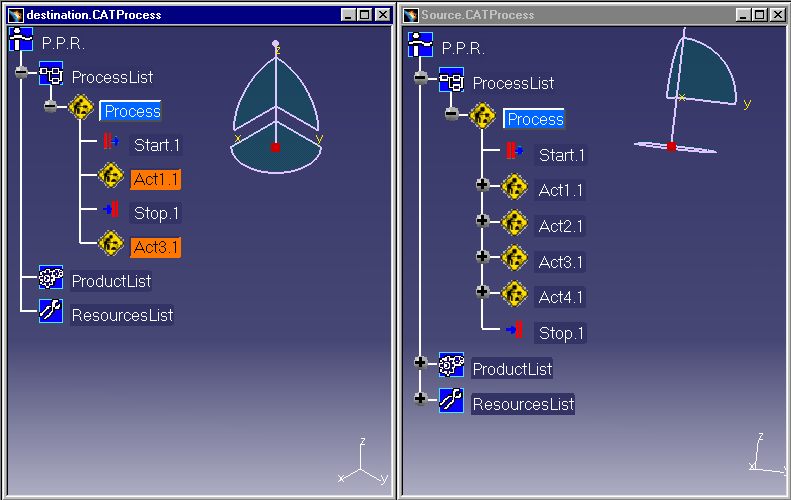
Right-click on the Process node of the destination process document and select Paste from the context menu. The copied activities will appear in the PPR tree of the destination document:
|
|
|
|
Copying activities with associated data |
|
| 1. | Select as many activities as desired in the source process document to copy. Hold down the CTRL
key to select multiple activities:
|
|
| 2. |
Copy the selected activites by either:
|
|
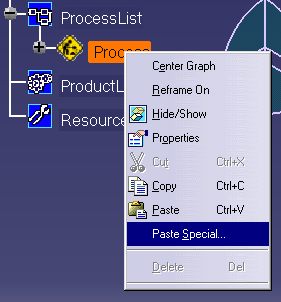
| 3. | Right-click on the Process node of the destination process document and select Paste Special
from the context menu:
|
|
| 4. |
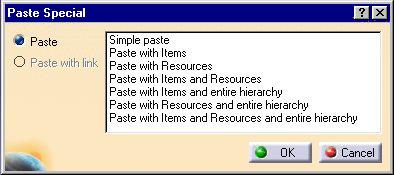
Select the type of paste to be performed, where:
After selecting the desired paste option, click OK to paste the activities into the destination process document. |
|