Replacing Already Assigned Products  

The following section describes how to replace products (assemblies, parts etc.). To replace a product, all linked objects to activities previously needed to be separated and subsequently restored. In very large structures this procedure in most cases was prone to error and time consuming.

To use the function described below, all products must be linked to processes. All relations, as described under Process Engineer Relationships Supported in DPM, may be used.

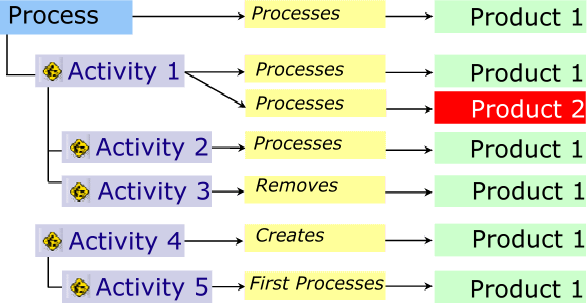
  To better describe this task, it is illustrated with a process structure for which five activities have been created. To each activity, a product (Product 1) was assigned. Activity 1 has two assignments: to Product 1 and to Product 2.

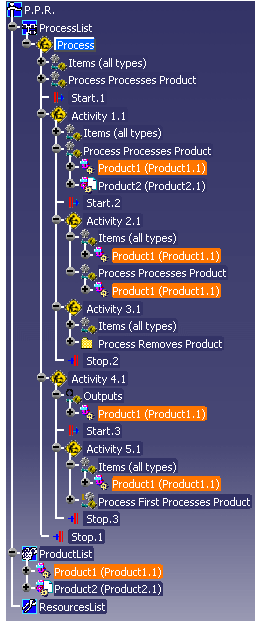
Initial situation:

  1. Click Replace Parts .

  2. Select the product you wish to replace (Product 1 in the example).

  3. Select the product (Product 2 in the example) with which to replace the previously selected product (Product 1).
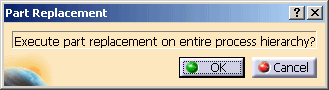
    The Part Replacement dialog box appears.

  4. Click OK.
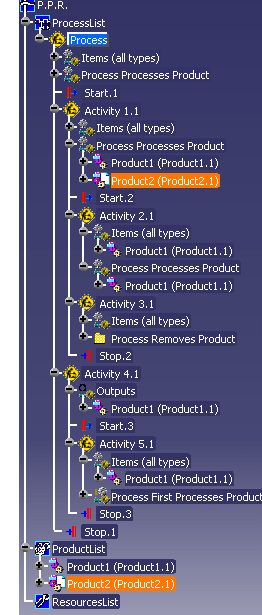
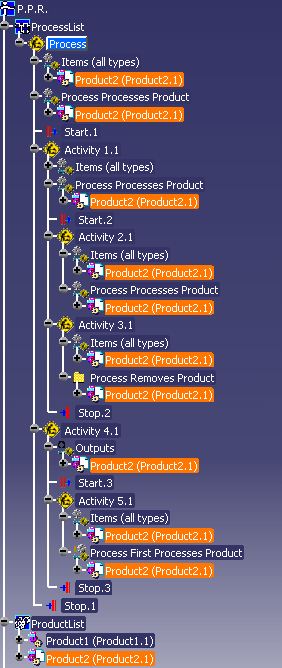
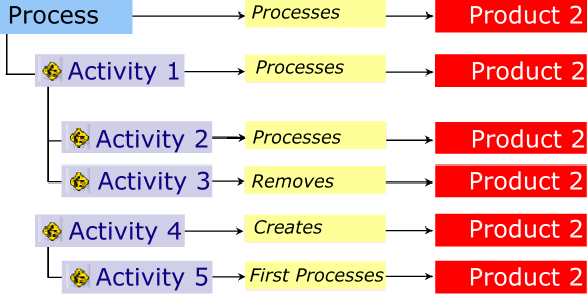
    As a result, Product.1 is replaced by Product.2. The process structure now is as follows:

Notes

 
  • This function can only be used on relations between products and processes. It cannot be applied to relations between processes and resources.

  • You cannot select a relations type (e. g., Process First Processes Product). When you replace a product with another product, the original relation remains in effect.

  • If product 1 and product 2 were assigned to a process, only the assignment to product 1 will be removed, but no new assignment to product 2 will be created.