


|
|
This task shows you how to search documents for objects or elements that are user created. To learn more about the Search function see the Infrastructure user guide. To learn more about customizing see Customizing the Dictionary of Types: Example and Customizing: Procedure. | |
|
|
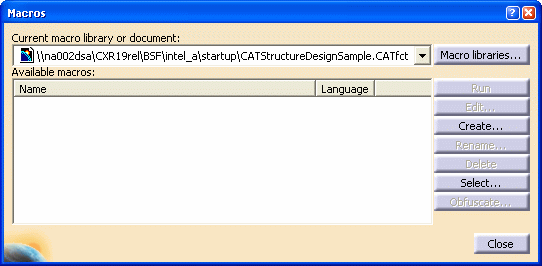
1. | Click Tools - Macro
- Macros. This will display the Macros dialog box.
Click Select.
|
| 2. | The Select a Macro File dialog box will display. Navigate to the directory where the application is installed and open the directory Intel_a\code\command. Select the file CATArrExtractArrFeatAsCATNLS.CATScript and click Open. The Macro dialog box will display, with the file CATArrExtractArrFeatAsCATNLS.CATScript selected. Click Run. | |
| 3. | Close the session. | |
| 4. | Using Windows Explorer navigate to the directory C:\ temp and copy the file CATArrNomenclatureFeat.CATNls to the directory Intel_a\resources\msgcatalog. | |
| 5. | Also copy the file CATArrNomenclatureFeat.CATNls to all language subdirectories (if any) of Intel_a\resources\msgcatalog. | |
|
|
||