|
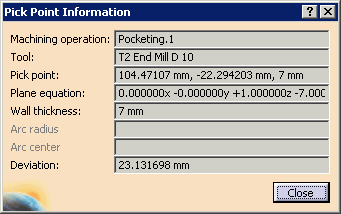
This procedure describes how to analyze pick points in a video simulation. | |||||
 |
Complete the procedures as described in
Accessing NC Manufacturing Verification
and Comparing the Machined Stock Part and the
Design Part,
including:
|
|||||
 |
|
|||||
 |
This information is available at every pick provided
that the point picked is a "machined area pick." To get information
about errors and deviation at the picked point, first do a
design part comparison. Design part comparison
renders the stock in a color-coded manner, depicting deviations from the
design part. A subsequent pick displays the deviation value. Limitation: When the design part is a surface entity with no thickness, the deviation on one of the sides is accurate and the deviation on the other side of the surface may be incorrect and may show infinity. |

 within the Replay dialog box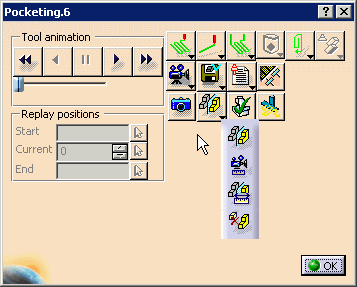
 , select the fault types to
be analyzed, and specify the tolerance for the comparison.
, select the fault types to
be analyzed, and specify the tolerance for the comparison.