

-
From the NC Machine Tool Builder, click New Mechanism
 .
.A mechanism is added to the Applications leaf of the specification tree. 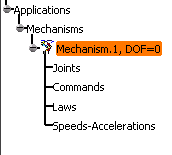
-
Double-click Mechanism.1 leaf on the specification tree.
The Kinematic Simulation dialog box appears. 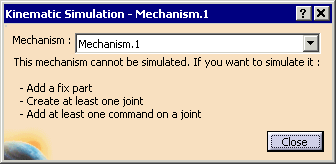
-
Enter a specific name for the mechanism.
