 |
This task shows you how to
prepare a design part for manufacturing by automatically creating all
recognizable prismatic machinable features. |
 |
1. |
Select the Global Feature Recognition
icon
 . .
The Global Feature Recognition dialog box appears. |
|
2. |
Select the part in the 3D view. |
|
3. |
In the Basic tab, select all the Feature
checkboxes so that the part is analyzed for all machinable feature
types.
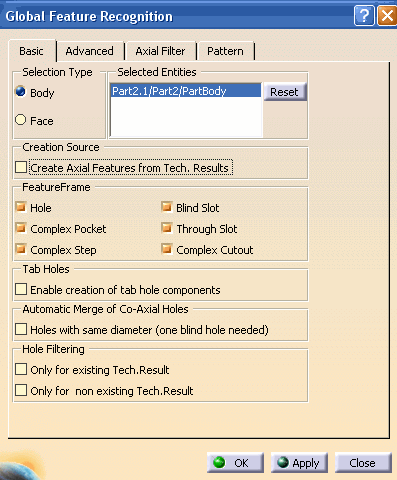
In the Pattern tab, select the Create
pattern for recognized holes check box. |
|
4. |
Click OK to start the feature recognition process.
An information box appears giving a
summary of the process:
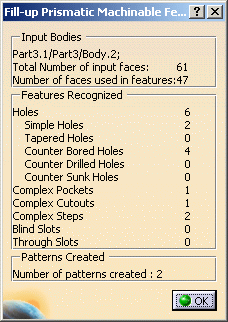
All recognized machinable features and patterns are added to the
Manufacturing View. |
|
 |