


 in the Machining Features toolbar.
Use the Sort by Machining Features contextual command to display the desired view.
 .
The Pocketing dialog box appears.
.
The Pocketing dialog box appears.
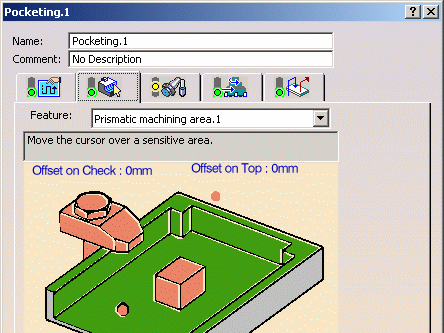
You can edit any of these values, if desired.
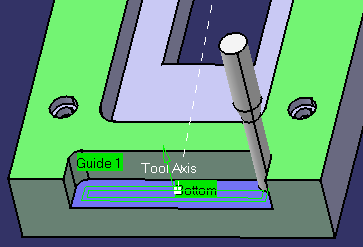
 to verify the tool path.

|
|
This task shows you how to create a Pocketing operation on a prismatic machining area. | |
|
|
You can make use of the Complex Step feature created in the Locally Create a Machinable Feature task. | |
|
|
1. | Select the Manufacturing View icon
in the Machining Features toolbar.
Use the Sort by Machining Features contextual command to display the desired view. |
| 2. | Select the Complex Step feature in the view. | |
| 3. | Select the Pocketing icon
.
The Pocketing dialog box appears. |
|
| 4. | The operation is initialized with the feature geometry as well as
default parameters for machining strategy, feeds and speeds, and tool.
You can edit any of these values, if desired. |
|
| 5. | Click Replay icon
to verify the tool path.
|
|
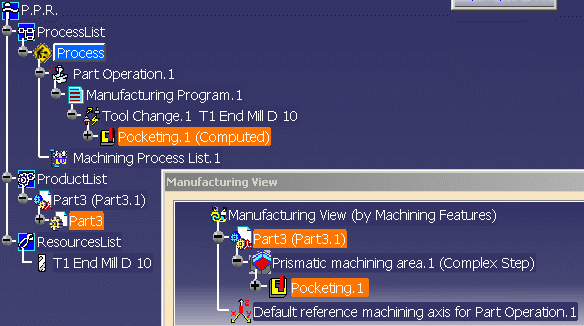
| 6. | Click OK to create the pocketing operation. The operation is added to
the Manufacturing View and to the Manufacturing Program in the
PPR tree.
|
|
|
|
||